



Understanding symmetry in biological assemblies can be a game-changer for molecular modelers. Symmetry streamlines workflows, optimizes computational resources, and opens up new possibilities for molecular designs. This blog post focuses on how the Symmetry Detection extension in SAMSON helps you efficiently detect and visualize symmetry axes within protein complexes, viral capsids, and other biological assemblies.
An Overview: Why Symmetry Matters
Molecular assemblies often display inherent symmetries crucial to their function and stability. Detecting these symmetries can help you:
- Reduce computational cost: You can simulate just the asymmetric unit instead of the entire complex, saving significant resources.
- Design nanomaterials or mutagenesis targets: Leverage symmetry for designing symmetrical nanoparticles or identifying key mutation points.
- Validate experimental structures: Check whether experimental data aligns with expected symmetry elements.
How to Detect Symmetry Axes in SAMSON
The Symmetry Detection extension is a user-friendly tool that automatically identifies axes of symmetry in your molecular systems. To get started, follow this quick guide:
- Open SAMSON and load a relevant assembly—e.g., PDB files
3NQ4,1CHP, or1B4B. If necessary, ensure you import biological assemblies using the appropriate settings in your PDB importer. - Launch the extension by navigating to Home > Apps > Biology > Symmetry Detection.
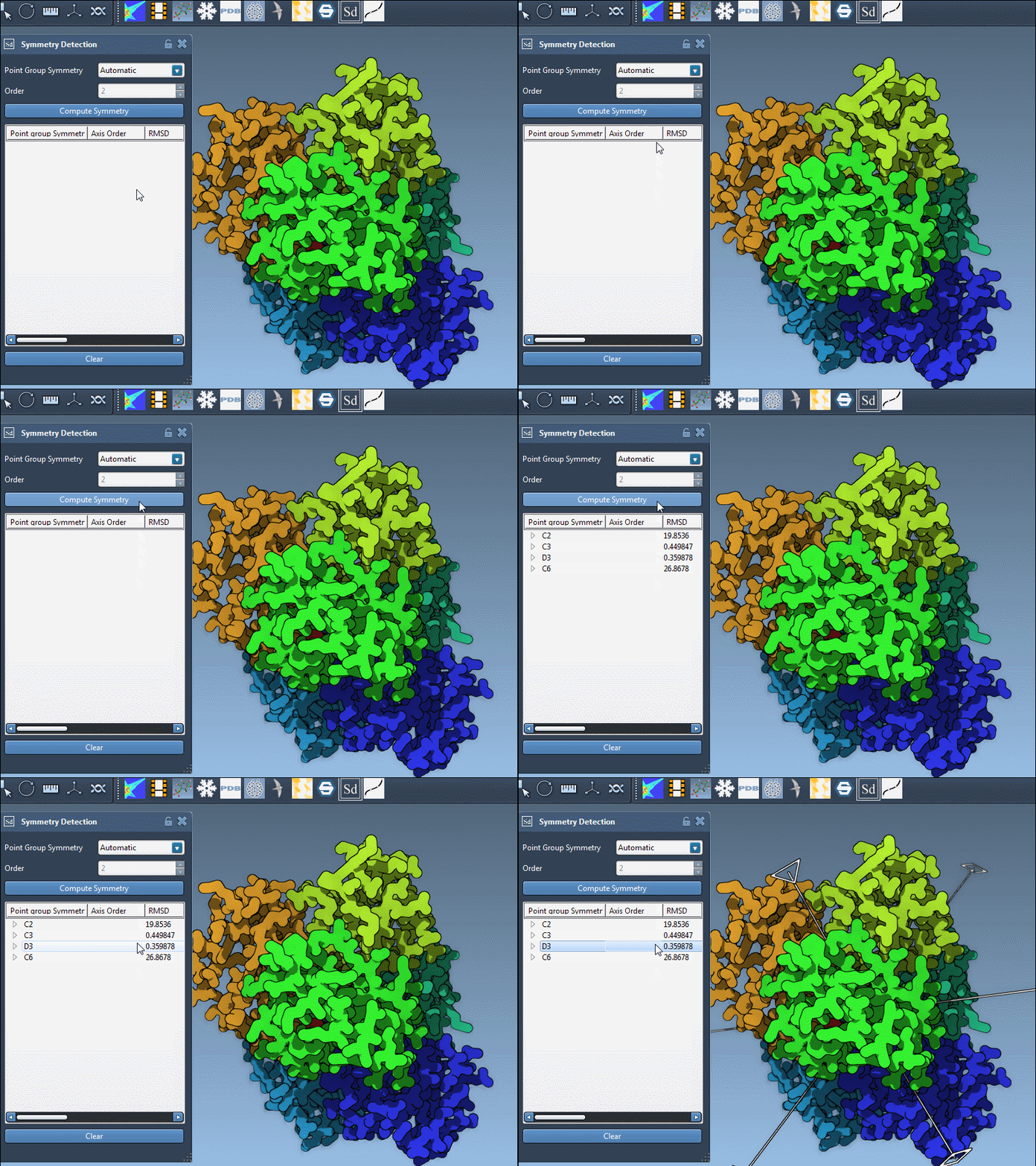
- Click Compute symmetry to begin analysis. The extension identifies potential symmetry groups such as cyclic, dihedral, or cubic symmetries.
- Explore and select the detected axes based on the application requirements. For example, identify an asymmetric unit or confirm predicted symmetry patterns.
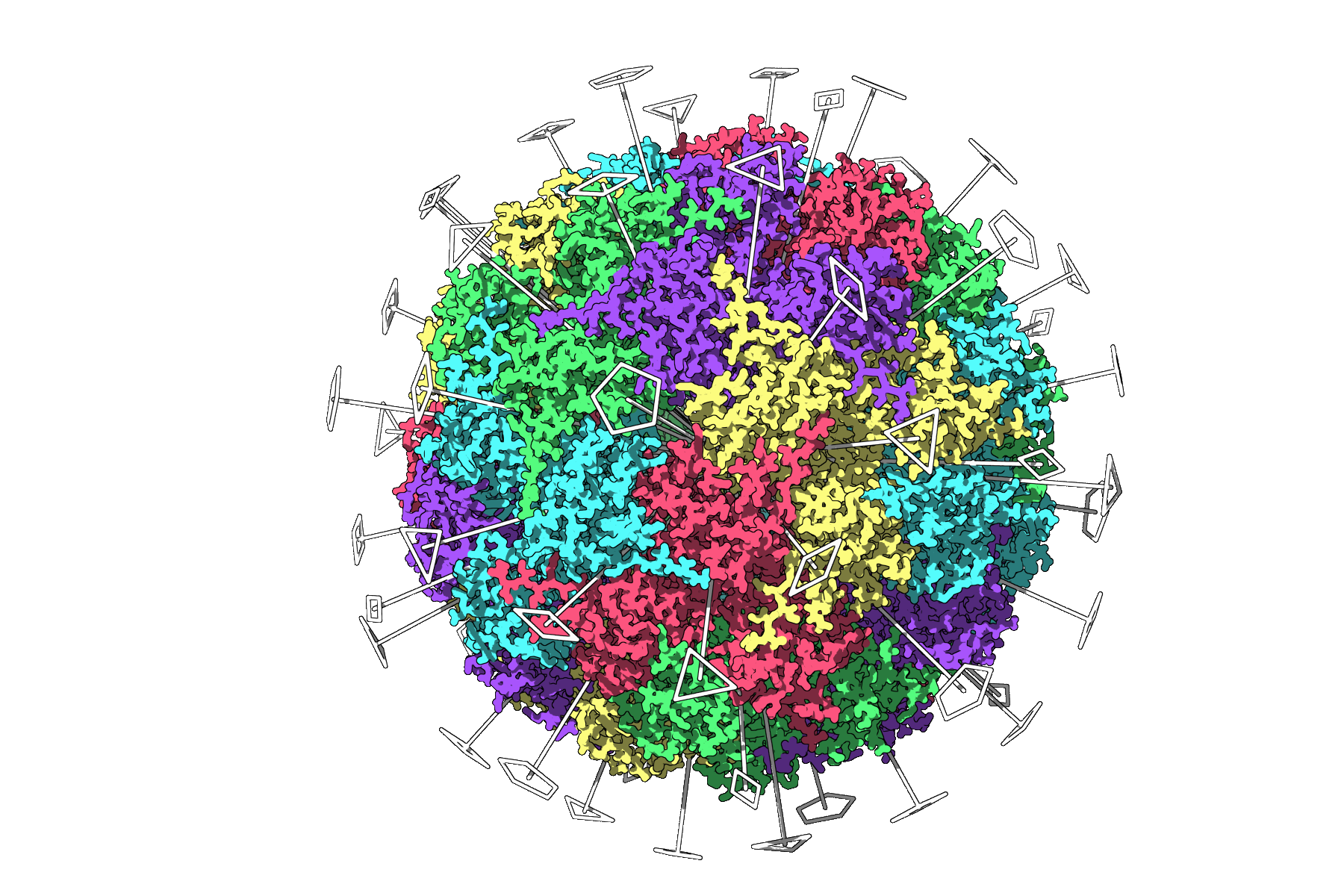
A Practical Example: 3NQ4 Icosahedral Capsid
For an icosahedral capsid like 3NQ4, the tool detects its full icosahedral symmetry, including all 2-, 3-, and 5-fold axes. This visualization allows you to identify and isolate a unique asymmetric unit prior to running computationally intensive simulations.
Choosing & Exploring Axes
When working with large assemblies, SAMSON may identify multiple symmetry groups. Here’s how to refine your selection:
- Prefer higher-order groups: Use those with smaller RMSD (Root Mean Square Deviation) values for accuracy.
- Visualize axes: Single-click an axis to highlight it or double-click to align the viewport along it.
For instance, in the 1B4B system, which has a dihedral symmetry of order 3 (D3), you can explore individual axes to determine the best structural representation.
Advanced Tips for Visualization
To enhance clarity when working with detected symmetry axes, try these helpful tips:
- Combine symmetry axes with context-rich models like Ribbons or Surfaces.
- Colorize asymmetric units for better differentiation (e.g., assign colors per chain).
- Use SAMSON’s Viewport snapshots to capture professional-quality visuals for publications and presentations.
Conclusion
The Symmetry Detection extension transforms how molecular modelers approach structural biology and design. By understanding and utilizing symmetry, you can improve efficiency, validate findings, and drive innovative designs in molecular research.
To explore more about symmetry detection and best practices, visit the official documentation page at this link.
SAMSON and all SAMSON Extensions are free for non-commercial use. You can download SAMSON at https://www.samson-connect.net.