



For molecular modelers, quickly visualizing molecules in a clear and interpretable format is a recurring challenge. Understanding the structure of SMILES (Simplified Molecular Input Line Entry System) data can often require translating complex strings into diagrams that are easier to digest. SAMSON’s SMILES Manager includes a solution for this: automatic generation, updating, and saving of high-quality 2D depictions using RDKit functionality. Here’s how this feature empowers users to manage their data effortlessly.
Why 2D depictions matter
SMILES strings encode molecular structures concisely, but working with long lists of these strings can become overwhelming. Viewing 2D depictions allows researchers to easily identify patterns, spot errors, and communicate chemical information effectively. SAMSON’s SMILES Manager generates 2D molecular images on-the-fly, making the transition from text-based representations to graphical views seamless.
Generating high-quality 2D depictions
The SMILES Manager automatically creates 2D depictions for each SMILES string in your dataset. These depictions are refreshed in real time whenever a SMILES string or an associated molecule name is modified. Invalid SMILES entries are flagged with a visual indicator, ensuring you can identify issues immediately.

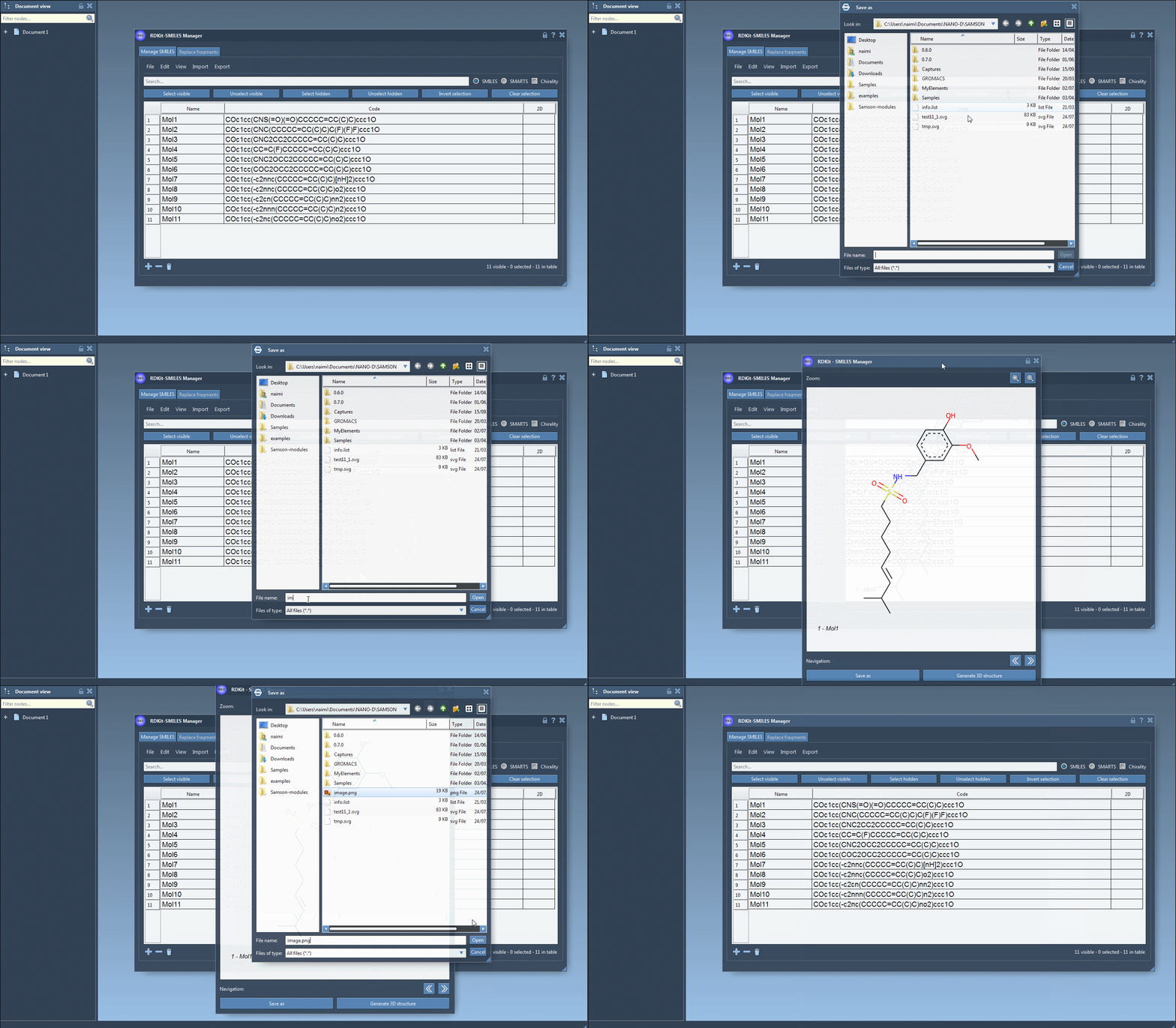
You can also open larger views of the 2D depictions by double-clicking on the image or using a right-click context menu, enabling detailed exploration.
Hiding or saving 2D depictions
When working with extensive datasets, you might prefer to temporarily hide 2D depictions for better performance or a cleaner interface. You can do this via the Hide 2D image function in the View menu. Even when hidden, larger views can still be accessed for specific entries.
Additionally, saving 2D depictions is simple. Individual images can be saved as PNG or SVG files either through the context menu or from the larger view window. For a more comprehensive export, you can save all depictions in a grid format. The grid is customizable, allowing you to adjust parameters like the number of columns, panel size, and whether to include molecule names.
Streamlining collaboration and review
The 2D depiction feature is not just about visual clarity; it can significantly enhance team collaboration. By exporting clear images or grids of molecular data, you can easily share insights with colleagues or include professional visuals in reports and presentations.
From streamlining workflows to reducing errors, the 2D depiction capabilities of SAMSON’s SMILES Manager empower researchers with an intuitive and flexible tool for visualizing molecular data.
To learn more about the features of the SMILES Manager, visit the official documentation page.
Note: SAMSON and all SAMSON Extensions are free for non-commercial use. You can download SAMSON here.