



For molecular modelers dealing with proteins, understanding how they arrange themselves in crystal structures and biological assemblies is an essential part of research. However, recreating symmetric setups from raw data can sometimes be challenging and time-intensive. The Symmetry Mate Editor in SAMSON provides an effective solution to this common problem by allowing you to effortlessly generate symmetry mates directly from PDB files. Let's dive into how this tool works and why it's useful for molecular design.
The Problem: Visualizing Symmetry Mates
When working with PDB files, researchers often want to reconstruct symmetric arrangements of proteins. These replicas shed light on critical biological processes such as binding site interactions, quaternary structure reconstructions, or the design of larger symmetric assemblies. While PDB files encode information about symmetries (like CRYST1 records for crystal lattices or BIOMT records for biological assemblies), manually applying these transformations can complicate workflows and slow down progress. This is where SAMSON's Symmetry Mate Editor steps in.
How to Generate Symmetry Mates
With the Symmetry Mate Editor, visualizing symmetric protein assemblies becomes intuitive. After adding the Symmetry Mate Editor extension from the SAMSON Connect Extension Store, you can activate it directly in SAMSON by either:
- Using the Find everything shortcut: Press Shift + E and type “Symmetry Mate Editor.”
- Accessing it through the left-side Editors menu: Navigate to … > General > Symmetry Mate Editor.
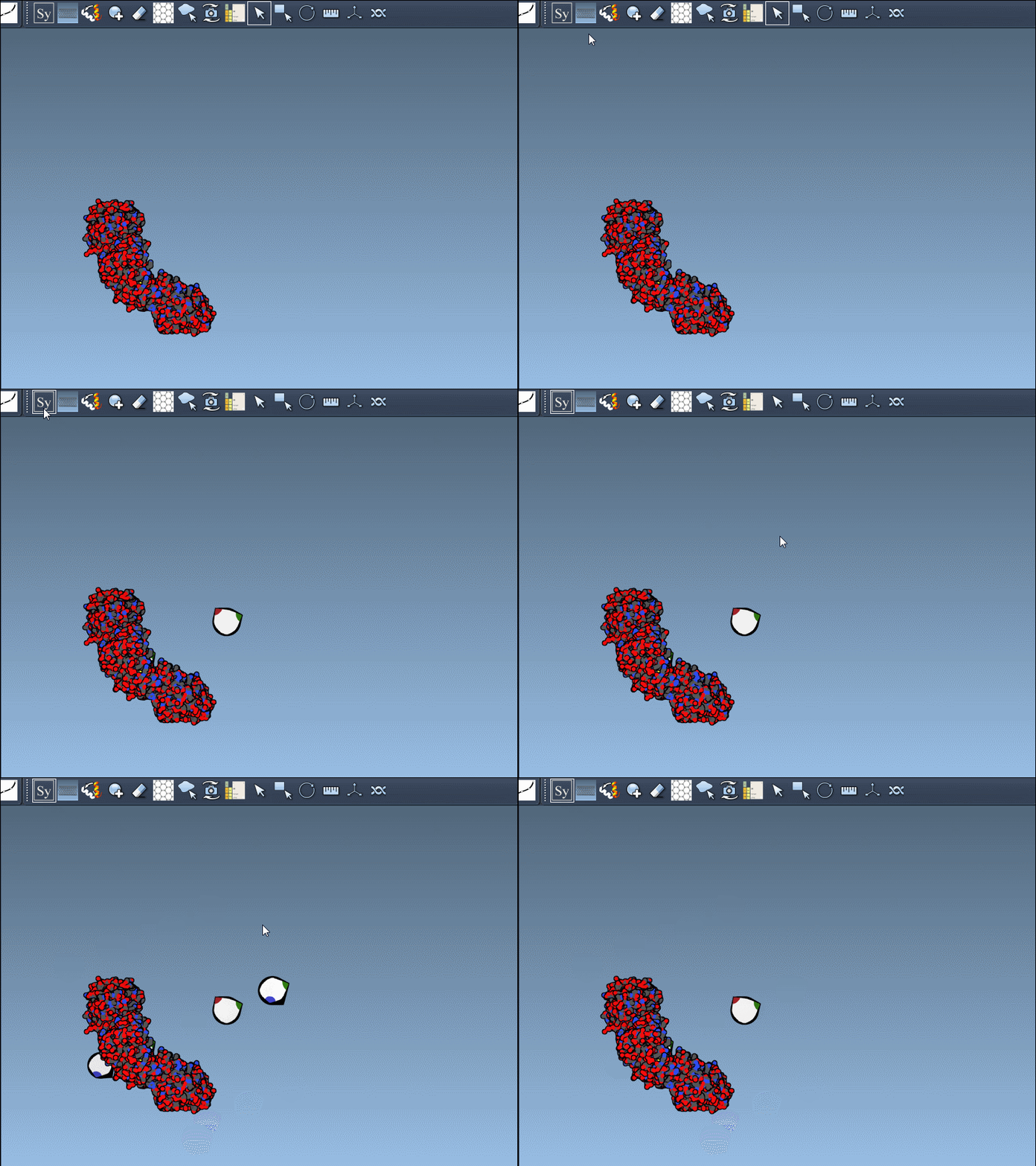
Once activated, you'll see control nodes appear in SAMSON's viewport. These nodes visually represent transformations derived from the PDB file records.
Interactive Symmetry Exploration
One of the most user-friendly features of the Symmetry Mate Editor is its interactive nature. For instance:
- Use Ctrl/Cmd + mouse wheel to scale up or reduce the number of accessible control nodes.
- Hover on a control node to instantly preview the replica in real time, helping you assess the symmetry before making any changes.
- Left-click a node to generate the selected replica, and within a few clicks, you can produce sophisticated structures ready for further design.
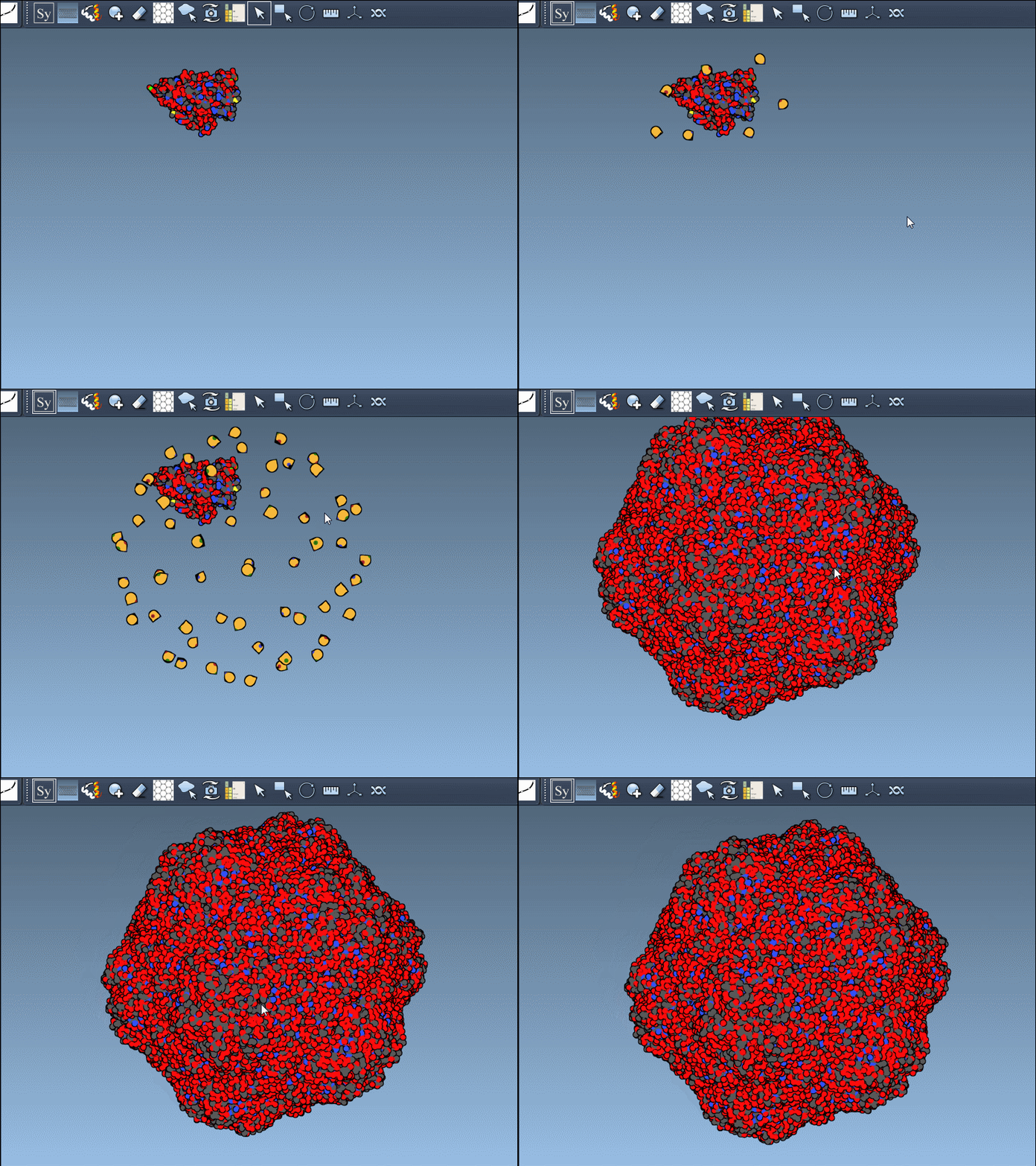
To generate all symmetry replicas at once, press and hold Ctrl/Cmd while hovering and clicking a control node. This seamless approach lets you recreate complex designs with minimum effort:
Applications and Benefits
The Symmetry Mate Editor isn't just a convenience—it unlocks a wide range of applications in protein modeling and molecular design:
- Reconstruct complete oligomeric assemblies from asymmetric units.
- Test or refine binding site designs by understanding symmetric repetitions.
- Build symmetric protein cages or scaffolds for nanotechnological purposes.
- Prepare quaternary structures for simulation and analysis in molecular dynamics workflows.
Additionally, it supports both CRYST1 and BIOMT records, which means you can toggle between lattice symmetries and biological assembly annotations with ease, adapting your workflow to different research objectives.
Ready to Simplify Your Symmetry Workflow?
Reconstructing symmetric complexes no longer needs to be a time-consuming task. With tools like the Symmetry Mate Editor integrated into SAMSON, you can streamline your molecular modeling workflows and focus on your research. Unlock the potential of symmetry in molecular design!
Learn more about the Symmetry Mate Editor by visiting the official documentation at this link.
Note: SAMSON and all SAMSON Extensions are free for non-commercial use. You can download SAMSON for free at SAMSON Connect.