



When working with large biological assemblies in molecular modeling, symmetry can unlock valuable speed-ups and insights. But with size comes ambiguity: large protein complexes often exhibit multiple plausible symmetry groups. If you’ve ever asked yourself “Which symmetry should I use?”, you’re not alone.
Fortunately, the Symmetry Detection extension in SAMSON offers a clear path to managing multiple symmetries and choosing the most relevant one — whether you’re prepping a simulation, extracting units, or designing symmetric ligands.
Why this matters
Large assemblies such as viral capsids or multimeric proteins often display approximate symmetrical organization. Misidentifying the correct symmetry group can lead to:
- Inaccurate segmentation of asymmetric units
- Unnecessary computational costs
- Overlooking functional relationships between repeated components
That’s why understanding how to interpret and work with multiple detected symmetries is essential for accurate modeling and design workflows.
How SAMSON helps
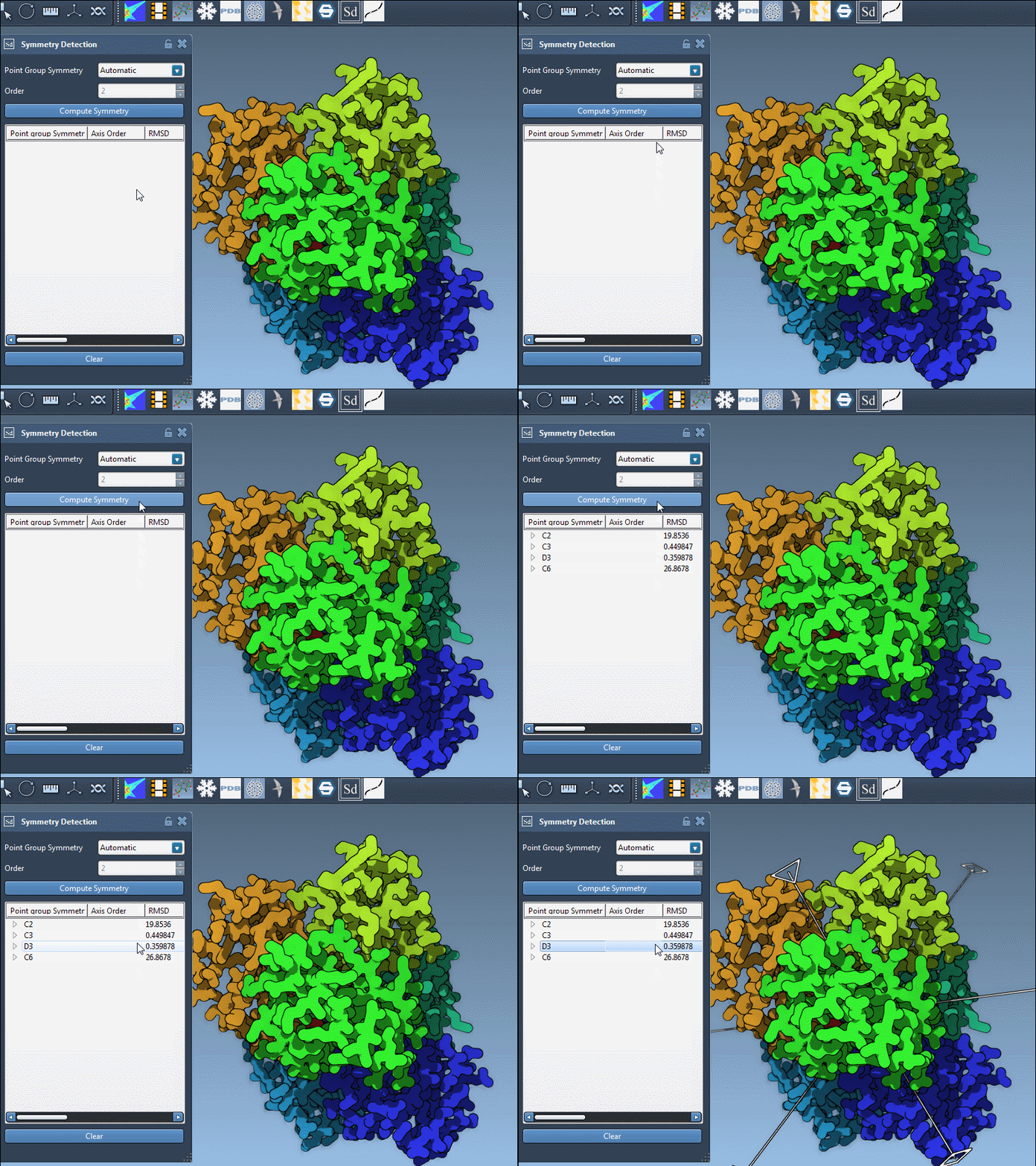
When SAMSON’s Symmetry Detection extension analyzes an assembly, it may return multiple symmetry groups. This typically happens when several high-symmetry approximations provide good fits within experimental noise levels. For example, the protein complex with PDB identifier 1B4B is detected to have a D3 symmetry:
Which one should you pick?
Here are practical tips to guide your decision:
- Look at RMSD values: Lower RMSD (Root Mean Square Deviation) means that the symmetry group is a better geometric fit. SAMSON shows you these values for each detected group.
- Prefer higher-order groups if RMSDs are comparable. For example, choose
D3overC3when both fit well — higher symmetry often implies more structural insight. - Use interactive previews: Clicking a group highlights its primary axis. Double-click to reorient your view for better visual inspection.
- Manually specify known symmetry: If you already know the expected symmetry (e.g., from literature), you can select it directly from dropdowns in the extension.
This interactivity isn’t just convenience — it lets you inspect geometrical plausibility and consistency within the molecular context.
Zooming into axes
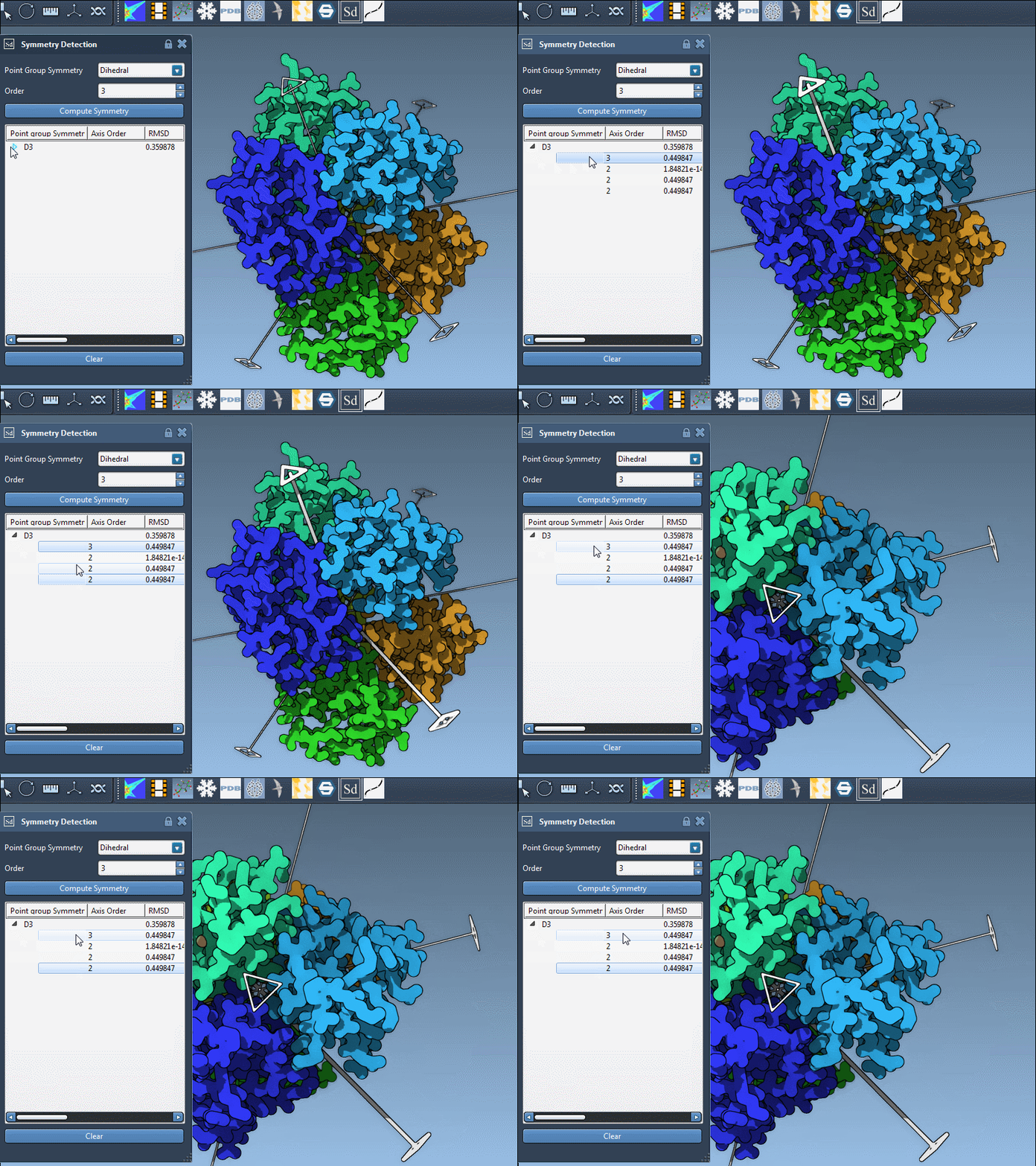
Each symmetry group can contain several axes. Here’s how to explore them:
- Single-click: Highlights the axis in bold.
- Double-click: Aligns the camera along the axis.
This can be particularly helpful for orienting systems before simulation or figure capture.
When to switch groups
If your chosen symmetry group introduces unreasonable distortions, it might be worth trying another one, even with a slightly higher RMSD. Remember: what matters most is how well the group supports your specific modeling goal — not just numerical fit.
Takeaways
- Use RMSD and axis visualization to evaluate detected groups
- Prioritize biological relevance over mathematical symmetry
- Don’t hesitate to manually select or switch groups
You can explore these features and more in the Symmetry Detection documentation.
SAMSON and all SAMSON Extensions are free for non-commercial use. You can get SAMSON at https://www.samson-connect.net.