



When a molecular structure contains thousands of nodes, finding a particular atom or residue can become a small but frustrating task: a search may match more than you intended, or return a larger structural group instead of the atoms you need. SAMSON’s Node Specification Language (NSL) helps make those searches precise. The key is to combine a target with the right node type, name rule, or distance condition.
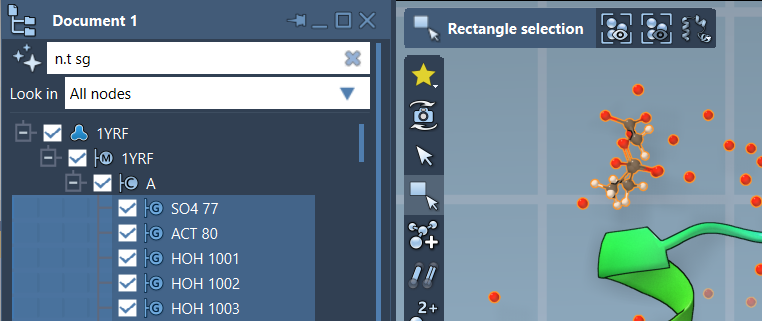
NSL expressions can be entered in Select > Find to select nodes in the active document, or in the Document view’s filter box to narrow the visible hierarchy and select matching nodes. In either place, the same idea applies: describe what you want, then add constraints to keep the result focused.

Start with a small, specific query
For example, C matches carbon atoms, while node.type residue (short form: n.t r) matches residue nodes. These queries illustrate an important distinction: an element symbol identifies atoms by element, while a node-type condition identifies a particular kind of structural node.
Names are another useful starting point. Put a name in quotation marks for an exact match: "CA" matches nodes named exactly CA. If you want a family of names rather than one exact name, use glob wildcards inside the quotes. For instance, "ALA*" matches names beginning with ALA, potentially including residue, backbone, and side-chain nodes. The asterisk matches any number of characters; ? matches exactly one.
When you are unsure of a node’s full name, type the opening part of a quoted name in Find and press Tab for context-sensitive completion. For example, entering "ALA and pressing Tab can show matching names from the active document. This is a practical way to discover the exact naming used by a structure before building a more specific expression.
Use node types to avoid broad results
NSL queries can match different kinds of nodes, including atoms, residues, and groups. That flexibility can surprise you when a query is broader than intended. For example, a distance query written as * within 5A of "GLN 2" can match the document node because the document contains atoms near GLN 2. If the goal is to find atoms, say so explicitly: n.t a within 5A of "GLN 2".
That query also includes atoms belonging to GLN 2 itself. If you want nearby atoms but not atoms that are part of the named residue, exclude that residue with n.t a within 5A of "GLN 2" out of "GLN 2". This two-part pattern is useful whenever “near” should mean neighboring structure rather than the target itself.
Combine conditions for a more useful selection
Logical operators let you refine results without manually picking through the structure. For example, node.type residue and not residue.type ALA selects residue nodes that are not alanine. Including the node-type condition matters: not residue.type ALA alone can also match other kinds of nodes, because those nodes are not alanine residues either.
You can also combine structural relationships. H linking O selects hydrogen atoms bonded to oxygen atoms, and node.type sideChain having S finds side-chain nodes containing at least one sulfur atom. For distance-based searches, "CA" within 5A of S looks for nodes named CA within five angstroms of a sulfur atom. Use quotes around names that may contain spaces.
A good workflow is to begin with the narrowest meaningful target—an element, name, or node type—then add a relationship or distance condition, and finally check whether the result includes the target itself or larger containing nodes. In Find, Tab completion can help verify names; in the Document view, filtering provides another way to inspect and select the matches.
For the full syntax, attribute references, and more examples, see the SAMSON NSL documentation.
Note: SAMSON and all SAMSON Extensions are free for non-commercial use. Get SAMSON.