



For molecular modelers and researchers in nanoscience, building carbon nanotube (CNT) models is often a critical task when designing nano-devices, modeling molecular transport, or exploring material properties. Crafting custom CNT structures tailored for simulations is vital, yet it can be a time-consuming process without the proper tools. Fortunately, SAMSON, the integrative molecular design platform, provides an efficient way to create both single-walled and multi-walled CNTs through its Nanotube Creator Extension. Here’s how to streamline this process with precision and ease.
Why Build Custom Carbon Nanotubes?
Carbon nanotubes are widely used in nanoscience for their unique mechanical, electrical, and thermal properties. Depending on the application—whether it’s designing nanodevices, studying electronic properties, or integrating CNTs into hybrid structures—precisely controlling the parameters of your nanotube model matters. SAMSON’s Nanotube Creator ensures this precision by providing flexible options for interactive or graphical modeling.
Interactive CNT Creation: A Hands-On Method
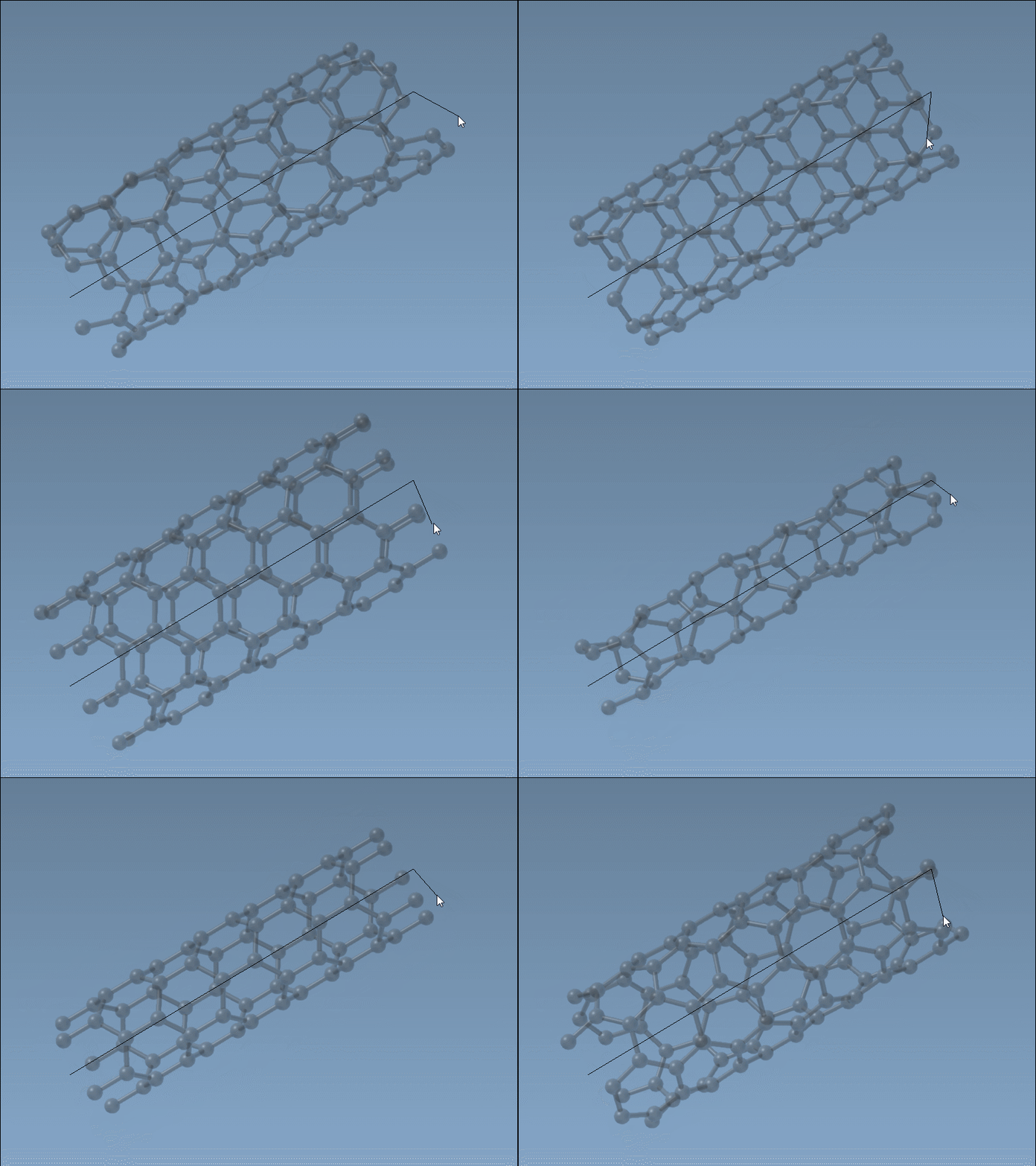
SAMSON’s Nanotube Creator allows users to interactively build CNTs directly in the viewport using just their mouse. Here’s how:
- Define the nanotube axis and length: With the left mouse button, click and drag in the viewport. This step determines the
nparameter. You can observe live feedback on axis orientation and tube length in the status bar as you adjust. - Set the nanotube radius: Once the axis and length are defined, release the left button. Next, move the mouse to adjust the radius, corresponding to the
mparameter. Finalize this by clicking the left mouse button again.
Interactive modeling provides a quick and intuitive way to generate nanotube structures while retaining precise control via real-time feedback.
Graphical Interface: Precision At Its Finest
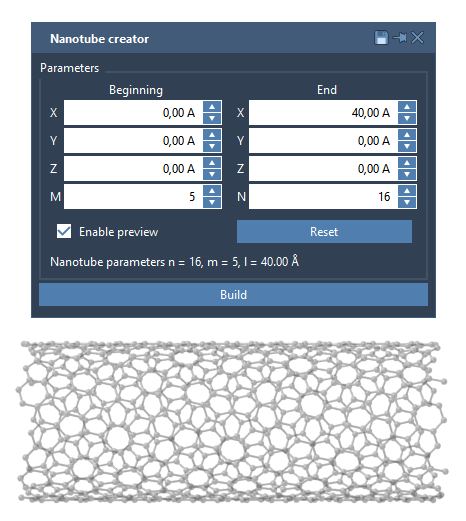
If you need even greater control over the specification of your CNT, the Nanotube Creator offers a Graphical User Interface (GUI). Activating the editor in the materials menu or via Shift+E enables access to detailed parameters:
- Start/End Position: Define the CNT’s axis in 3D space.
- n / m values: Specify the chiral vector and, in turn, the structure and radius of the tube.
Using the GUI, you can also configure and build multi-walled CNTs with multiple layers. This guarantees a more controlled and replicable process for advanced molecular design tasks.
Example: Building a Multi-Walled Nanotube
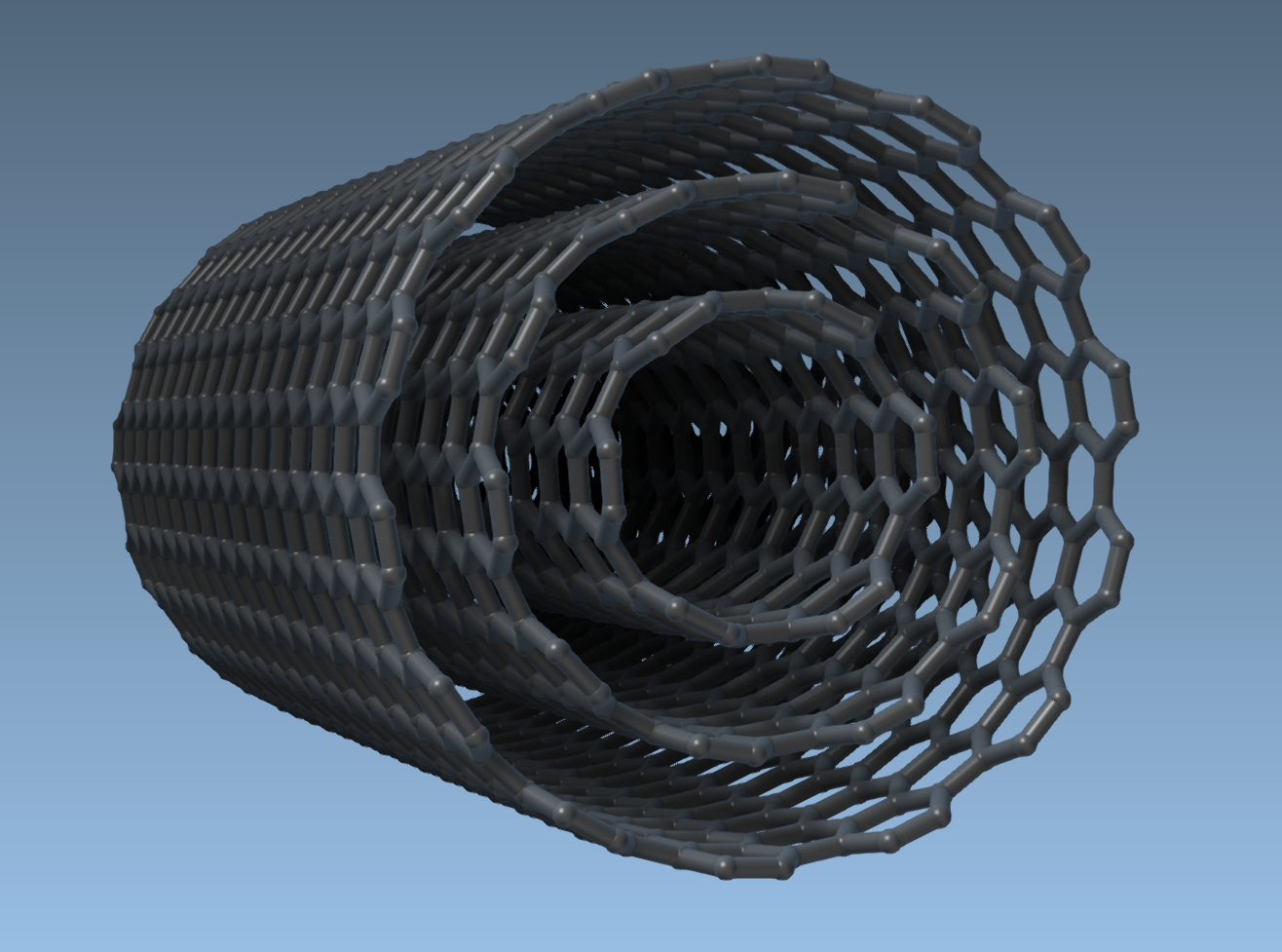
To see the Nanotube Creator in action, let’s take a look at how to build a multi-walled CNT:
- Define start (
0, 0, 0) and end (40, 0, 0) positions in 3D space to set a length of 40 Å along the x-axis. - Create the first layer with
n = 6,m = 6and click Build. - Add a second layer with
n = 10,m = 10and click Build. - Add a final layer with
n = 14,m = 14and finalize.
This results in a multi-walled CNT, which can serve as the foundation for simulations or advanced structural modeling.
What’s Next?
Once your CNT model is ready, you can:
- Create stunning visualizations of your structure for presentations or publications.
- Simulate molecular behavior, such as transport through the nanotube, in real-time.
- Combine carbon nanotubes with other molecules to generate complex hybrid nanostructures.
The possibilities with the Nanotube Creator are extensive, making it an essential tool for anyone engaged in molecular modeling or computational material science.
For further details and walkthroughs, visit the original documentation page here.
Note: SAMSON and all SAMSON Extensions are free for non-commercial use. Get SAMSON today at samson-connect.net.