Clipping structures

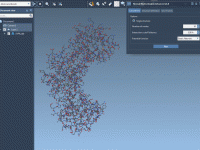
To activate clipping in SAMSON, hold Ctrl + Shift and click where you would like the clipping plane to be (or in the void to stop clipping). You can then use Ctrl + Shift + Wheel to move the clipping…

Freezing atoms positions

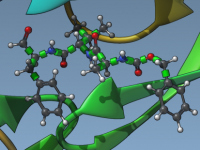
To control atoms mobility during minimization or simulation, use the Freeze (shortcut F) and Unfreeze (shortcut U) commands. Frozen atoms have a dark blue overlay in the viewport.

Selecting using natural language

/nsl is an undocumented SAMSON AI command that lets you use natural language to build selection expressions. For example, type /nsl atoms within 5A of the ligands, and SAMSON AI will translate it to n.t a within 5A of n.c…

Importing OBJ and glTF files

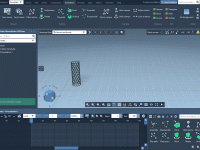
To enrich your images and animations in SAMSON, you can import OBJ and glTF files. You can then place them where you want and hit F9 to render using Cycles. You can also adjust their materials using the Inspector. Link…

Snapping molecules

To position molecules precisely, you can use translational and angular snapping. You can also choose any atom as rotation center.

Importing and exporting molecules in Python

To import and export molecules in a wide range of supported formats in SAMSON, use the importFromFile and exportToFile functions. Combine this with the getNodes function to quickly find atoms, residues, chains, binding sites, etc. and compute properties, edit molecules,…

Getting help about anything from SAMSON AI ✨

To find out how to do anything in SAMSON, just ask SAMSON AI (Ctrl / Cmd + Zero). Besides answering you thanks to retrieval-augmented generation (RAG), SAMSON AI will provide relevant clickable commands and documentation links.

Animating molecules

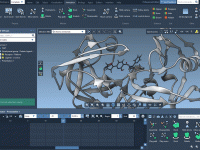
To animate atoms moving and deforming in SAMSON, select them and add a Move atoms animation to your presentation. You can then add and control multiple keyframes that SAMSON will smoothly interpolate for you.

Generating symmetric replicas

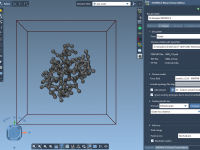
To quickly add symmetric replicas in SAMSON, use the Symmetry Mate Editor. This free extension lets you interactively generate symmetry mates of a protein based on the crystallographic information from a PDB file.

Making SAMSON AI ✨ do something

To make your SAMSON AI do something, begin your prompt with /do. And if you prefer to speak, just say do (turn the sound on for the video example below). This is an example of retrieval-augmented agency (RAA), where knowledge…