



For many molecular designers and materials scientists, building accurate models of carbon nanotubes (CNTs) often represents a bottleneck in their workflow. Whether you’re simulating transport phenomena, designing sensors, or exploring nanostructured materials, it’s crucial to start with well-defined geometries. But scripting geometries from scratch or importing external files isn’t always efficient.
SAMSON provides a practical and visual solution. The Nanotube Creator Extension lets you define single-walled or multi-walled carbon nanotubes precisely—without complex scripting. For those who prefer parameter-based input rather than using the mouse, the Extension offers a graphical interface that provides full control over nanotube parameters.
Build CNTs with Parametric Accuracy
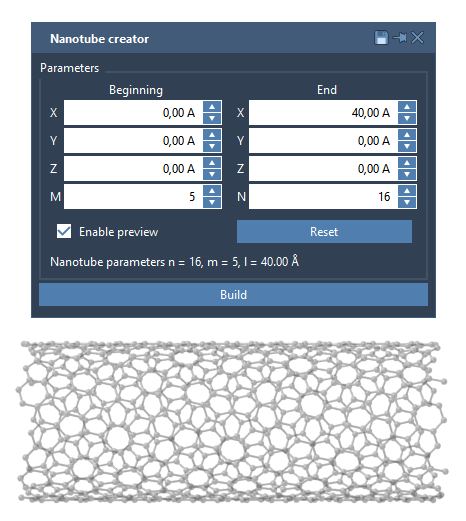
The graphical interface isn’t just a GUI. It’s a powerful editor that allows you to define starting and ending positions in 3D space and set both n and m values, which define the chiral vector and, therefore, the geometry and radius of your nanotube.
Here’s what a typical workflow looks like:
- Activate the Nanotube Creator editor. If you can’t see the interface, reselecting the editor should toggle it back into view.
- Choose enable GUI mode if you’re not already in it. Then set:
- Start Position: e.g.,
(0, 0, 0) - End Position: e.g.,
(40, 0, 0) - n: and m: for each wall (e.g.,
n = 6, m = 6for inner wall) - Click Build to generate the tube.
Create Multi-Walled Nanotubes
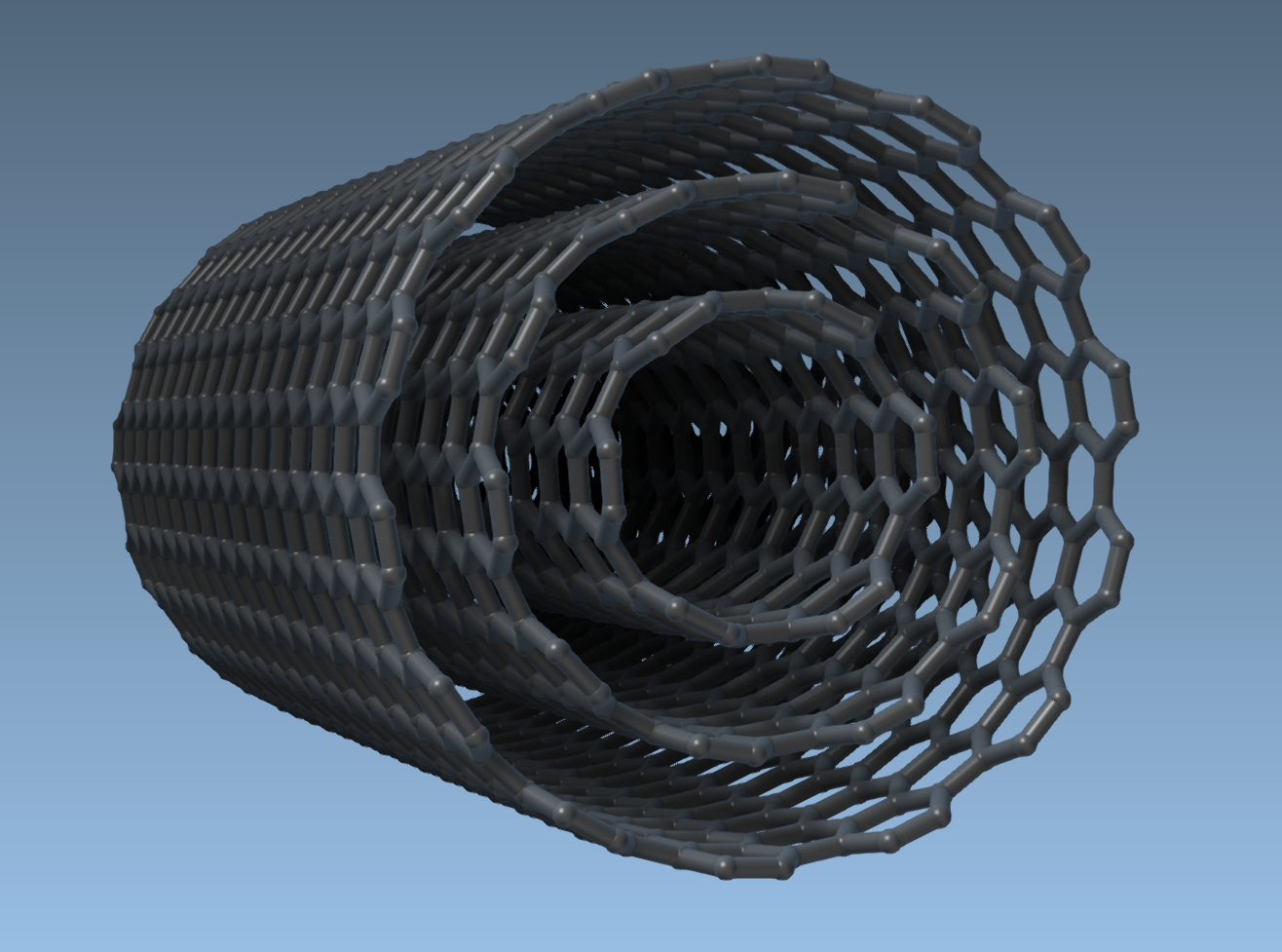
Multi-walled CNTs are often used for mechanical strength or as components in nanoelectronic systems. You can stack these easily by defining multiple concentric tubes:
- Use the same start and end positions for all tubes.
- Increment the
nandmvalues for each additional layer. For example: n = 6, m = 6n = 10, m = 10n = 14, m = 14- Click Build for each after setting new parameters. This produces a cleanly layered CNT structure.
Why This Matters
Accurate geometries are key when you’re running simulations with quantum or classical methods, or exploring molecular transport scenarios. The graphical interface removes ambiguity and provides direct control over properties that directly influence simulation outcomes—like chirality, diameter, and aspect ratio.
Whether you’re modeling drug delivery channels, thermal conductivity in nanocomposites, or even building hybrid systems with other molecules, starting with correctly built CNTs simplifies the rest of your project.
To explore this feature further, visit the full documentation on Building Nanotube Models.
SAMSON and all SAMSON Extensions are free for non-commercial use. You can download SAMSON at https://www.samson-connect.net.