



A molecular structure can look crowded or sparse in a viewer, but visual inspection alone makes it difficult to answer a practical question: which distances occur repeatedly between two parts of the system? A radial distribution function (RDF) turns those pairwise distances into a curve, helping you examine local packing, solvation structure, and characteristic interaction distances.
What the curve is counting
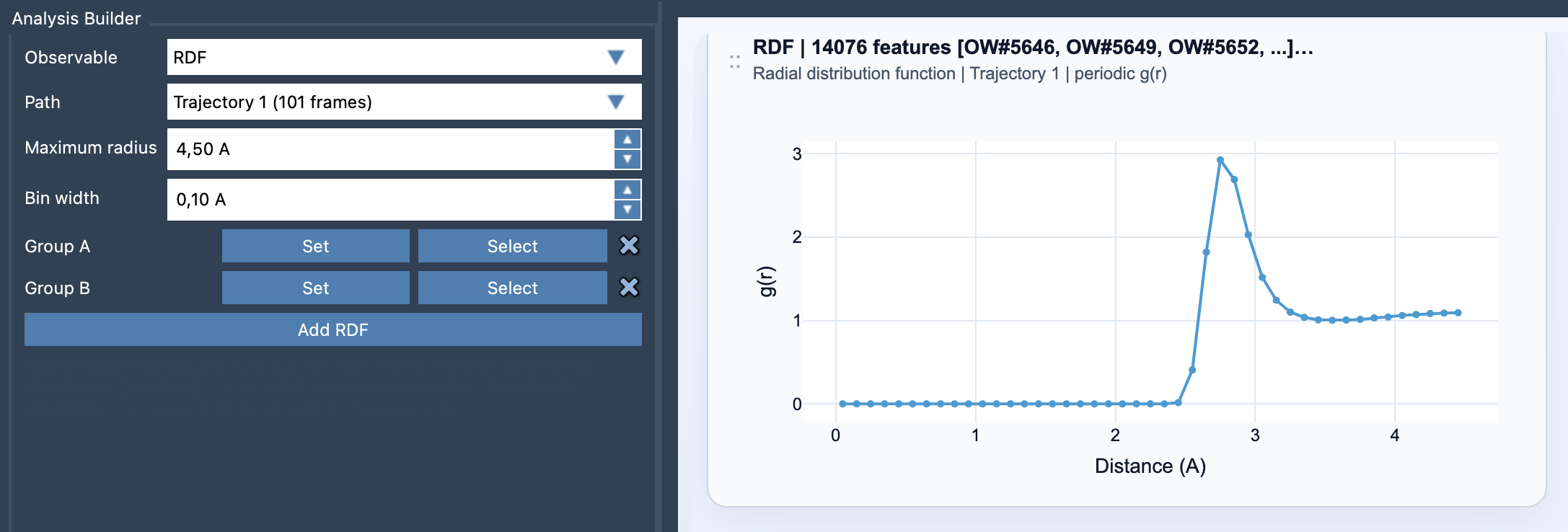
Choose two atom-containing groups, A and B. The analysis samples distances between atoms in those groups and sorts them into radial bins. In simple terms, a bin around distance r contains the pairs found within that distance range. The count is related to the volume of the spherical shell being sampled:
g(r) ∝ n(r) / ΔV(r), where the shell volume is approximately ΔV(r) ≈ 4πr²Δr.
This shell-volume detail matters. As the radius grows, a shell of the same thickness contains more space. Raw pair counts therefore do not, by themselves, describe density consistently across radii. When valid unit-cell information is available, Path Analyzer can normalize the counts against the expected ideal-gas occupancy and report a properly scaled g(r). If periodic normalization is not possible, the result is an RDF-style curve in arbitrary units instead.
Choose groups that answer a specific question
An RDF is only as useful as the selections behind it. Define Group A and Group B to represent the relationship you want to inspect—for example, a solute and solvent, a ligand and pocket, or selected residue subsets. Broad or chemically mixed selections can combine several different environments into one curve, making its features harder to interpret. If a peak seems ambiguous, consider whether the groups are too broad for the question.
Set the distance range and resolution deliberately
Maximum radius sets how far out the distribution is sampled. Choose a range that covers the distances relevant to your analysis; increasing it is not automatically more informative. Bin width sets the radial resolution. A smaller width can resolve finer features, but if it is too small the curve may become noisy. A larger width smooths the counts, but may blur nearby features. There is no single setting that is best for every system, so treat these as analysis choices rather than cosmetic plot settings.
A careful reading checklist
- Start with the question: which two groups are being compared, and what distance pattern are you looking for?
- Check the curve’s units and normalization. A properly normalized
g(r)and an arbitrary-unit RDF-style curve are not interchangeable. - Read peaks as preferred or frequently sampled distance ranges in the selected data, not as proof of a particular chemical interaction on their own.
- Review the maximum radius and bin width before comparing curves. Different settings can change the displayed detail.
- Remember that RDF cards summarize the path globally and are not linked to individual frames. They describe the path as a whole, rather than identifying when a feature occurs.
Build the plot in Path Analyzer
Open Path Analyzer, select RDF under Observable, choose a path, and define Group A and Group B. Set the maximum radius and bin width, then click Add RDF. Before drawing a conclusion, confirm that the selections and normalization match the question you intended to ask.
For the full list of inputs and notes on normalization, see the RDF documentation.
Note: SAMSON and all SAMSON Extensions are free for non-commercial use. Get SAMSON.