



Modeling carbon nanotubes (CNTs) can be a complex and time-intensive task for molecular designers. Whether you’re designing nanodevices or studying the mechanical properties of CNTs, achieving precision and efficiency is paramount. Fortunately, SAMSON’s Nanotube Creator Extension is a powerful tool that simplifies this process and allows you to model single-walled and multi-walled carbon nanotubes with ease.
Why is This Important?
Carbon nanotubes are incredibly versatile structures with applications ranging from nanodevices and sensors to molecular transport and drug delivery. However, creating accurate CNT models requires careful parameter setting, which can be tedious and error-prone. The Nanotube Creator streamlines this process, enabling you to quickly produce high-quality models for diverse applications in nanotechnology and computational materials science.
Getting Started with the Nanotube Creator
Using the Nanotube Creator in SAMSON is straightforward. First, ensure you have the extension installed:
- Log into SAMSON Connect.
- Visit the Nanotube Creator Extension page and click Add.
- Restart SAMSON to activate the extension.
Once installed, you can activate the extension editor, which provides an intuitive workspace for building CNTs. The editor can be found via the “Viewport Left-Side Menu” under Materials > Nanotube Creator, or by using the shortcut (Shift + E) and searching for “Nanotube Creator”.
Two Methods for Building CNT Models
The Nanotube Creator offers two modes for constructing CNTs:
- Interactive Mode: Build nanotubes directly in the viewport.
- Graphical Interface (GUI) Mode: Access a precise, parameter-controlled interface.
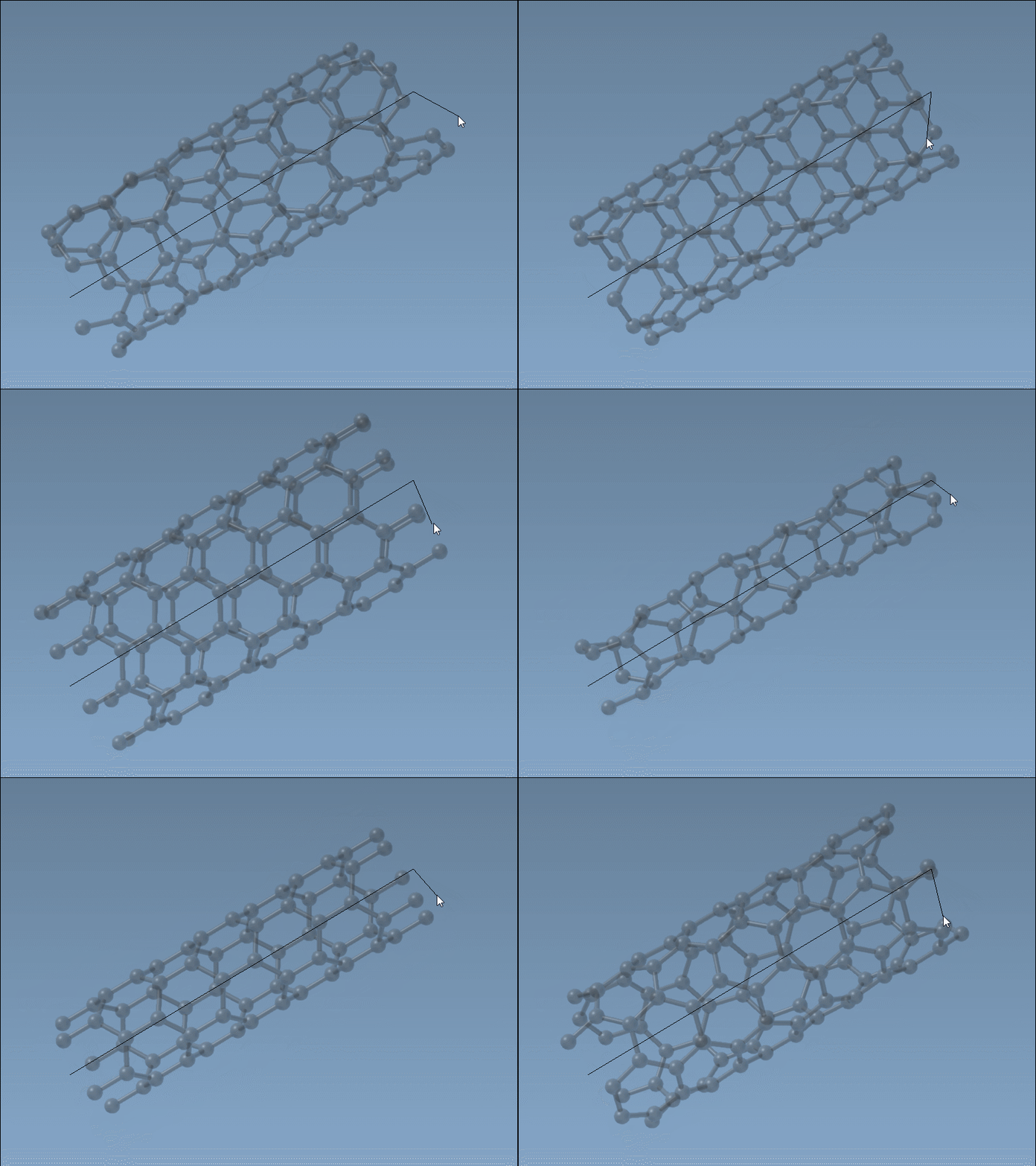
Method 1: Interactive Mode
To interactively create nanotubes in SAMSON:
- Define the
nparameter (axis and length) by pressing and dragging the left mouse button in the viewport. - Adjust the
mparameter (radius) by releasing the mouse button, moving the mouse to set the desired radius, and clicking again to confirm.
Live feedback on axis orientation and tube dimensions is displayed in the status bar as you build. This makes it easy to create precisely aligned CNTs.
Method 2: Using the Graphical Interface
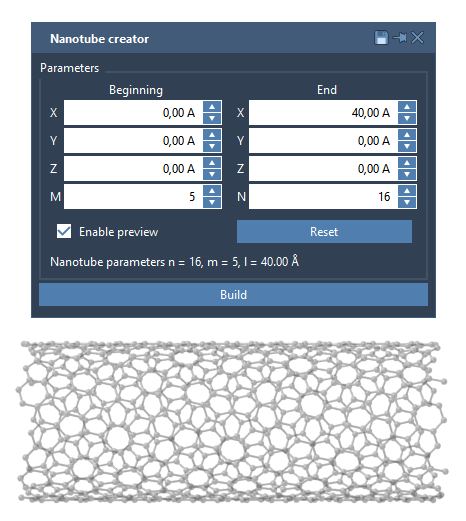
Prefer precision? The graphical interface allows you to define parameters explicitly. This mode is particularly effective for intricate designs, such as multi-walled nanotubes. To open the GUI, activate the editor, and if needed, re-enable the GUI by selecting the editor again. This interface lets you control start and end positions, as well as set n and m to tailor your CNTs.
Example: Build a Multi-Walled Nanotube
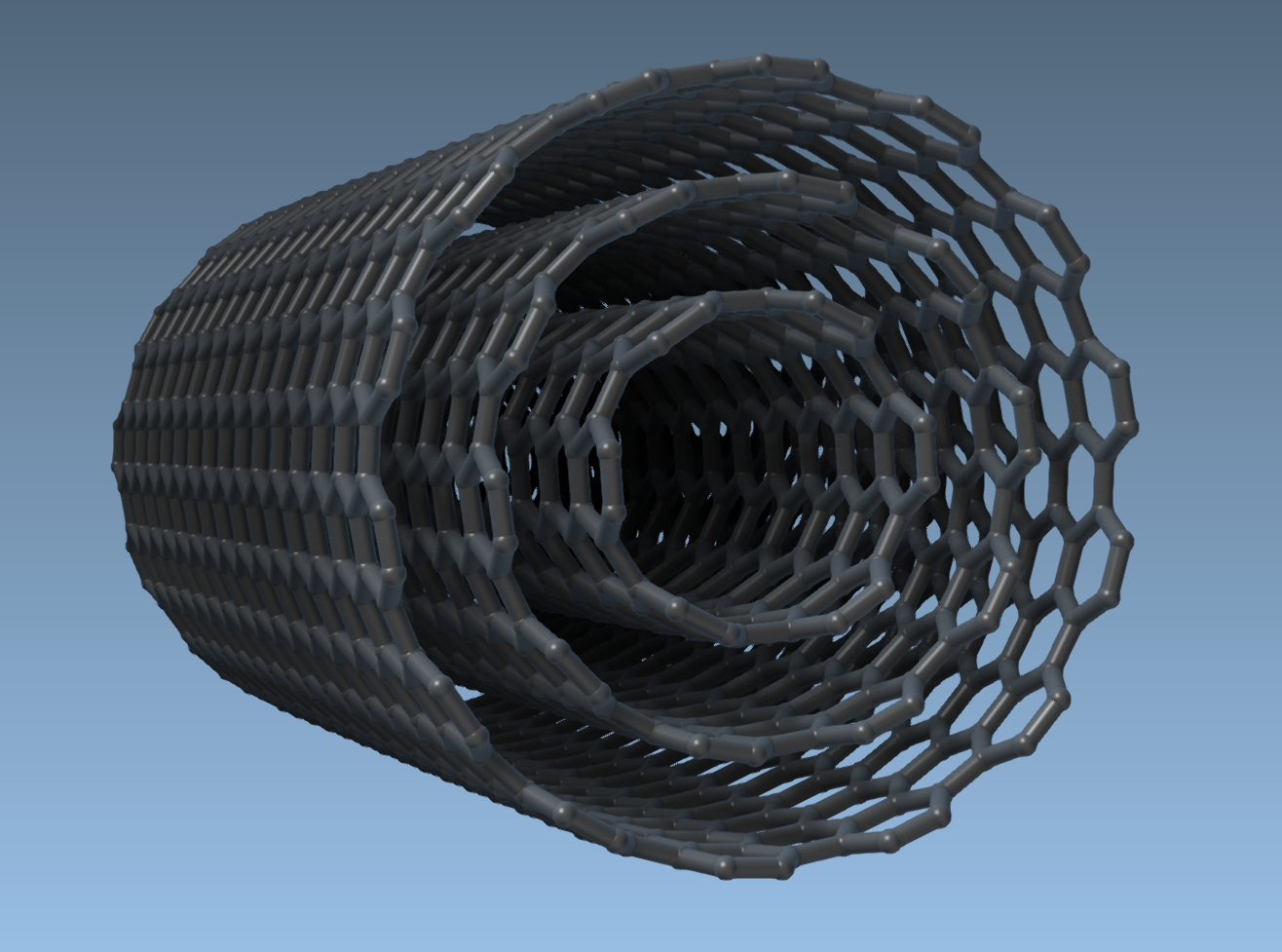
Here’s how to construct three concentric carbon nanotubes:
- Set start/end positions to
(0, 0, 0)and(40, 0, 0)for a 40 Å nanotube along the x-axis. - Build CNT 1:
n = 6,m = 6, then click Build. - Build CNT 2:
n = 10,m = 10, then click Build. - Build CNT 3:
n = 14,m = 14, then click Build.
These steps will generate a multi-walled nanotube like the one shown below:
Conclusion
The Nanotube Creator is a versatile tool for molecular modelers tackling the challenges of CNT design. Its flexibility, coupled with its interactive and GUI-based creation modes, makes it invaluable for exploring the properties and applications of carbon nanotubes.
To dive deeper into the features of the Nanotube Creator and learn more about its applications, visit SAMSON’s documentation.
SAMSON and all SAMSON Extensions are free for non-commercial use. Discover more and get started by visiting SAMSON Connect.