



Symmetry can be a powerful ally in molecular modeling. Many biological assemblies, such as protein complexes or viral capsids, exhibit structural symmetries that can be leveraged to reduce computational complexity and guide design tasks. But how do you detect and visualize these symmetry axes efficiently? This is where the Symmetry Detection extension in SAMSON comes into play.
Why Symmetry Matters in Molecular Design
For molecular modelers, symmetry is not just an academic curiosity. Its detection unlocks considerable advantages, such as:
- Identifying functional interfaces: Repeated patterns across symmetric units often indicate functionally significant structures.
- Validating data: Experimental structures can be checked against expected symmetry elements to ensure data reliability.
- Optimizing simulations: Instead of simulating an entire structure, focus only on the unique asymmetric unit, reducing computational costs.
- Driving molecular design: Whether you’re engineering nanomaterials or planning targeted mutations, symmetry-guided workflows can sharpen your analysis.
How the Symmetry Detection Extension Works
The Symmetry Detection extension in SAMSON simplifies the process of finding and visualizing symmetry axes:
- Open SAMSON and load your structure. For example, you can fetch biological assemblies such as
3NQ4or1CHPdirectly through SAMSON. - Launch the extension via Home > Apps > Biology > Symmetry Detection. No coding or complex setup required!
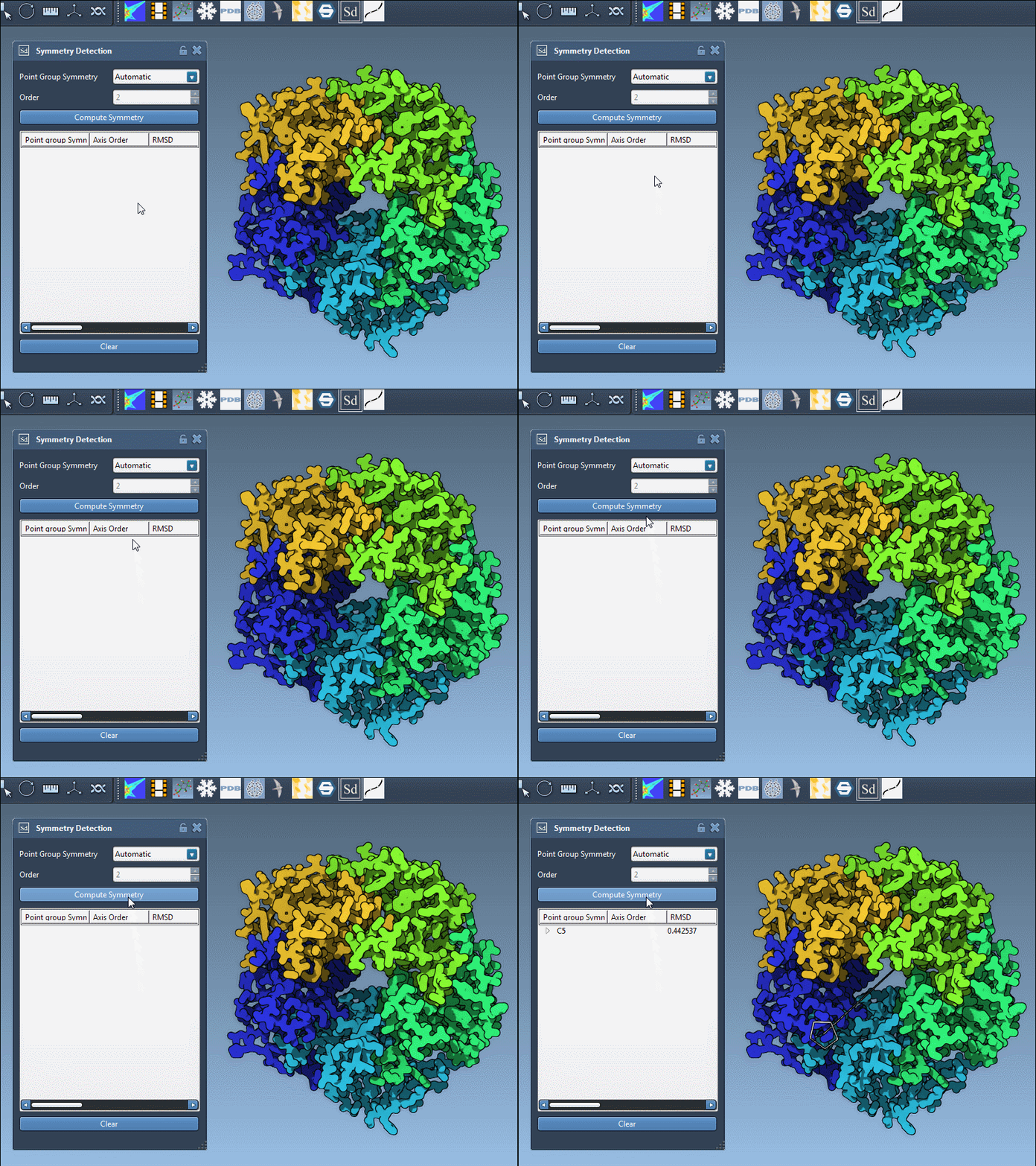
- Click Compute symmetry. The extension will detect and visualize symmetric axes for your assembly.
The user-friendly interface allows you to review the detected groups, explore axes, and choose those most relevant to your goal. The extension supports a variety of symmetry types, from simple cyclic symmetry to complex icosahedral arrangements.
Real-World Examples
Example 1: Icosahedral Symmetry in Viral Capsids (3NQ4)
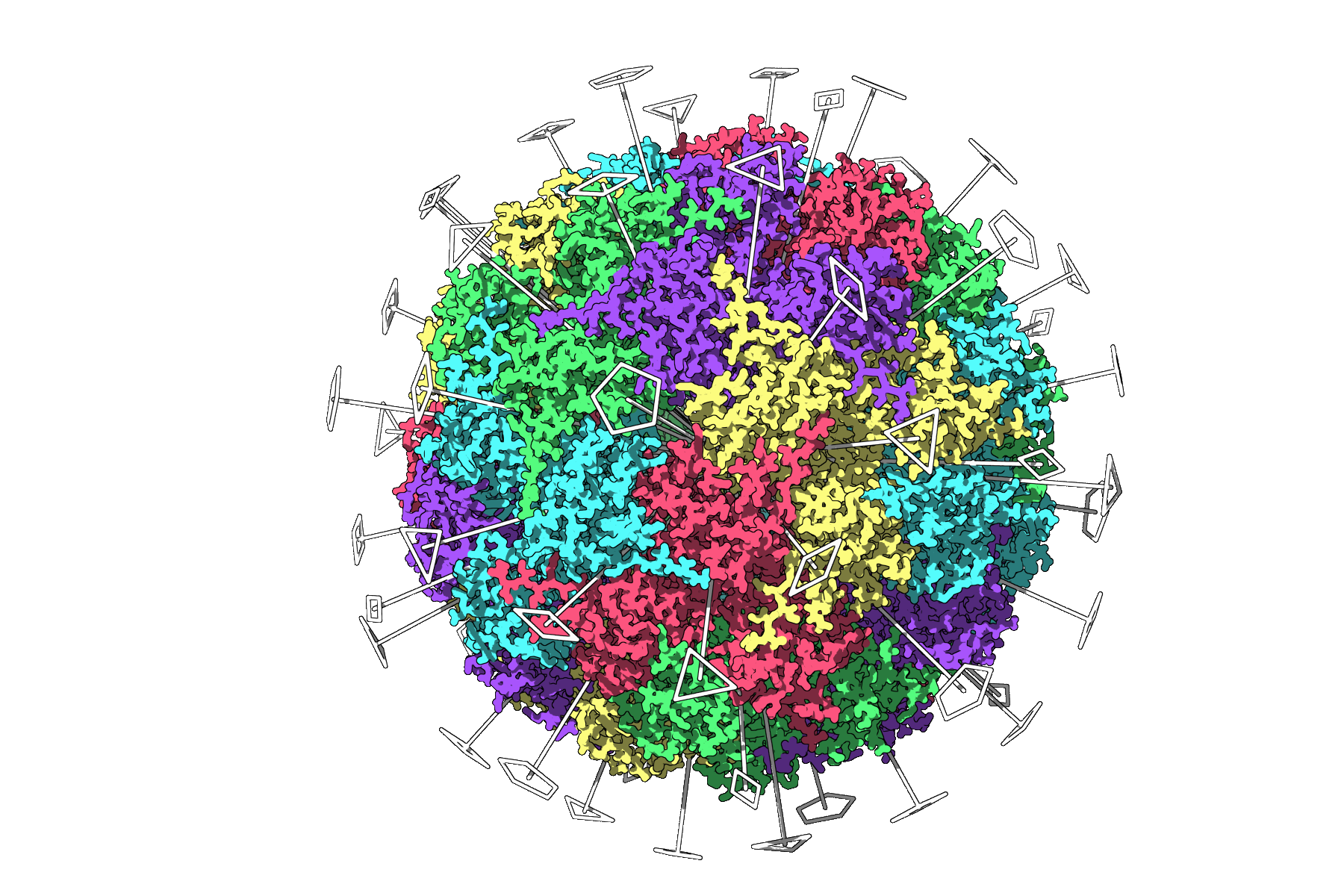
Consider the case of the viral capsid 3NQ4, which exhibits full icosahedral symmetry. SAMSON displays all the relevant 2-fold, 3-fold, and 5-fold axes, enabling you to quickly identify an asymmetric unit for focused simulations. This reduces the effort involved in setting up and running resource-heavy computations.
Example 2: Large Assemblies with Multiple Symmetries (1CHP)
In larger structures, such as 1CHP, the app may identify multiple plausible symmetry groups simultaneously. You can use the interface to evaluate and select the optimal group for your analysis.
Tips for Enhanced Visualization
To make the most of the detected symmetry axes, consider the following suggestions:
- Combine symmetry visuals with ribbon or surface models for clarity.
- Use different colors for asymmetric units to emphasize repetitive patterns.
- Capture visualizations using SAMSON’s Viewport snapshot tool for use in presentations or publications.
Take Your Modeling to the Next Level
Whether you need to export an asymmetric unit for simulations, design symmetric nanomaterials, or validate experimental structures, symmetry detection in SAMSON offers a robust and intuitive solution. Learn more about its features and workflows by visiting the documentation page.
Note: SAMSON and all SAMSON Extensions are free for non-commercial use. You can get SAMSON at https://www.samson-connect.net.