



Interactive molecular modeling can be both a rewarding and frustrating experience, especially when it comes to significant structural changes. If you’ve ever faced challenges when trying to simulate covalent bond formation, breakage, or other dynamic topological updates in molecular systems, the Interactive Modeling Universal Force Field (IM-UFF) in the SAMSON platform might provide a helpful solution.
IM-UFF is an extension of the Universal Force Field (UFF), designed specifically for interactive modeling in SAMSON. While UFF itself is a well-known full periodic table force field, IM-UFF builds upon it to handle detailed, real-time changes in molecular systems, a feature particularly useful for tasks like bond creation, bond breaking, and smoothly transitioning atomic configurations.
Why Does IM-UFF Matter for Molecular Modelers?
When working on molecular systems, understanding and predicting structural changes can be difficult. For traditional static methods, the workflow tends to halt or require considerable manual intervention when bonds are formed or broken. IM-UFF moves beyond this limitation:
- Dynamic Bond Management: IM-UFF allows for interactive changes, such as creating or breaking covalent bonds and altering bond orders while maintaining the accuracy of typizations.
- Guided by Inter-Atomic Forces: Molecular structures adapt dynamically and smoothly during manipulations, driven by physically-based forces. This makes building models intuitive and closer to observed real-world behaviors.
- Ease of Use: The topology of the system updates automatically during user interactions, so you can simulate significant modifications without tedious manual adjustments.
Setting Up IM-UFF
Configuring IM-UFF is relatively straightforward. To use it in your workflow:
- Ensure you have added the IM-UFF extension to your SAMSON installation.
- Open a molecular document and add a simulator via
Edit > Simulate > Add simulator(or keyboard shortcut Ctrl + Shift + M on Windows, Cmd + Shift + M on macOS). - In the interaction model list, select Interactive Modeling Universal Force Field.
Once set up, IM-UFF presents a parameter window that displays total energy and other critical energy terms in real time as simulations progress. Additionally, it provides two user-selectable settings:
- Static Topology (UFF only): Switch to standard UFF behavior.
- Keep vdW for manipulated: Control whether van der Waals forces are calculated for atoms actively manipulated with the mouse. Unchecking this can help avoid unwanted interactions during manipulations.
Running Interactive Simulations
IM-UFF truly shines when running simulations. During usage:
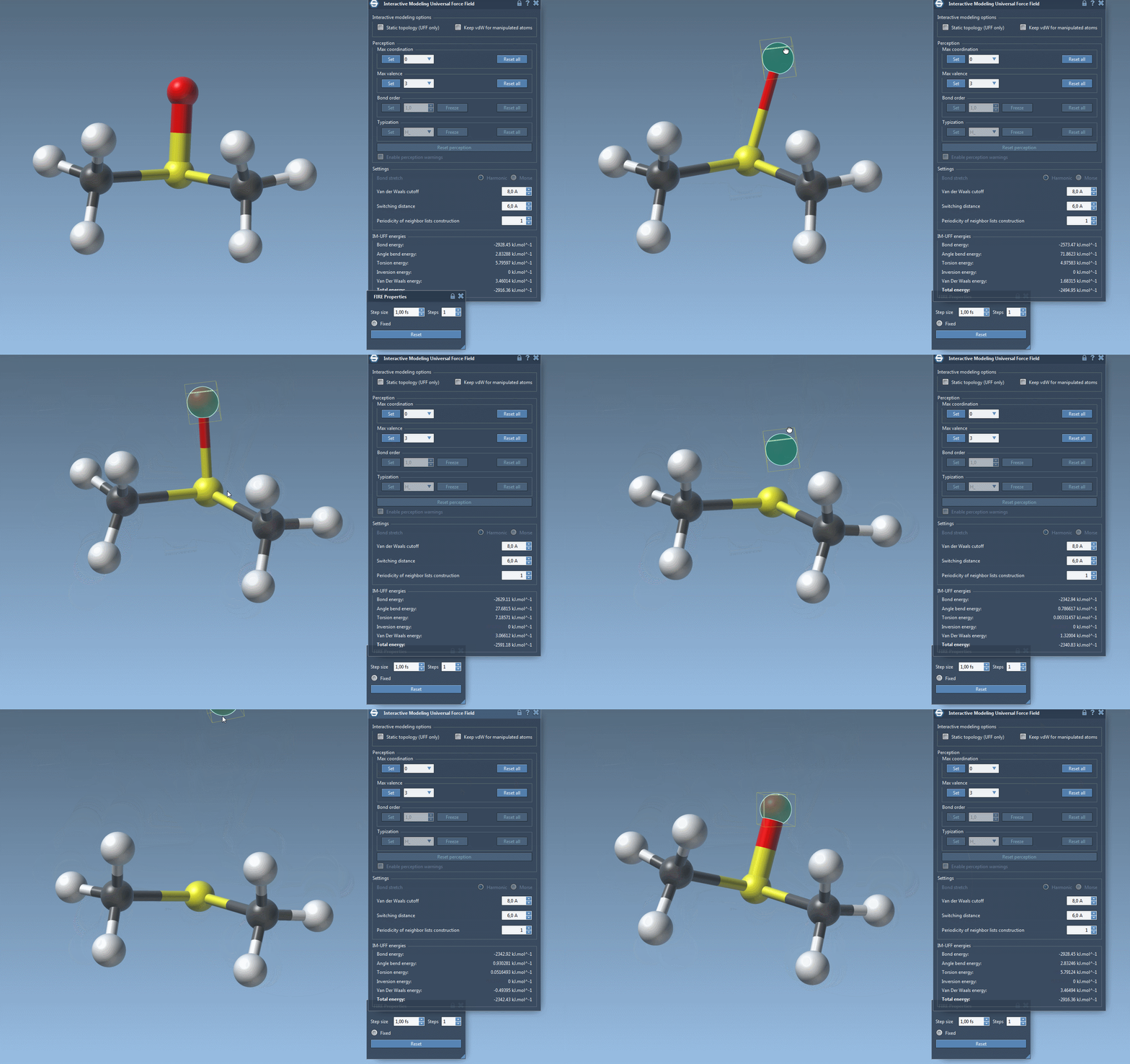
- Move atoms using the mouse to see how the system preserves or alters the topology. Small displacements allow local structural adjustments, while larger movements may break or create bonds automatically.
- The immediate visual feedback and dynamic adjustments let you iteratively improve molecular models in real-time.
For example, as shown in this animation:

The atom movements and corresponding bond modifications happen interactively, driven by IM-UFF’s physics-based framework. This unique behavior makes it an essential tool for anyone designing or editing molecular systems on SAMSON.
Customizing IM-UFF
If you need even more refined controls, IM-UFF allows you to adjust parameters such as van der Waals cutoff, neighbor list updating frequency, and typization settings. While some options are restricted during IM-UFF simulations (e.g., direct bond order adjustments), the interactive modeling process ensures results are continuously optimized based on atom positions. For example:
You can also seamlessly delete or add atoms to your model, with automatic typization updates ensuring your system stays accurate at all times.
A Path to Better Molecular Design
IM-UFF is a powerful tool for anyone needing flexibility, accuracy, and interactivity in molecular modeling. Whether you’re creating new structures from scratch or testing the behavior of dynamic systems, it provides a streamlined and physics-driven way to interact with your models.
To learn more about setting up and utilizing IM-UFF, be sure to reference the official documentation here.
Note: SAMSON and all SAMSON Extensions are free for non-commercial use. Download SAMSON today at samson-connect.net.