



Are you a molecular modeler looking to create custom polymers for your research or projects? The Polymer Builder extension in SAMSON is here to help! Whether you’re designing biopolymers, synthetic chains, or unique molecular scaffolds, this tool makes your task significantly easier. In this guide, we’ll walk you through the process of generating a polymer from monomers and sequences with complete control over bond types and structure. Let’s dive in!
What Does Polymer Builder Offer?
Polymer Builder allows you to:
- Create polymers from chemical fragments, sequences, or both.
- Control bond configurations including single, double, or triple bonds.
- Detect connection atoms and avoid clashes automatically.
This isn’t just a powerful feature set—it addresses a major pain point for researchers by streamlining polymer design and reducing time spent on manual adjustments.
Step-by-Step: Designing Your Polymer
Follow these instructions to design a polymer tailored to your needs:
1. Register Your Monomers
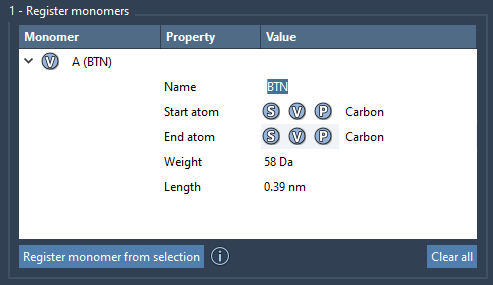
First, select a molecule (or monomer unit) from the Document view or Viewport in SAMSON. Use the Register monomer from selection button to add this monomer to the registry. You can modify start and end atoms manually with simple commands, like:
- S: Set atom from current selection.
- P: Pick atom from a list.
- V: Highlight atoms visually in the structure.
Each registered monomer gets a unique letter (e.g., A, B, C) and is displayed in a table alongside data like molecular weight and start-end atom distances. If needed, you can refine registered monomers or remove them easily.
2. Assemble Sequences
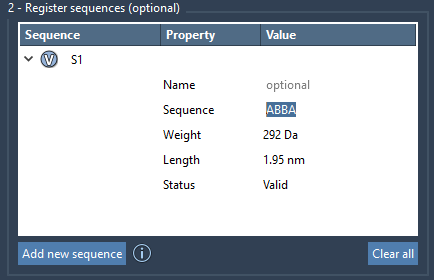
Now, create repeating patterns by registering sequences of monomers. Define a sequence by combining monomer IDs (e.g., ABBA) and assign specific bond types between them:
=: double bond#: triple bond
For instance:
A=B: Monomer A connected to B with a double bond.A#B: Monomer A connected to B with a triple bond.
Each sequence is labeled (e.g., S1, S2), and you can review its molecular weight and structural attributes in the table.
3. Generate the Polymer
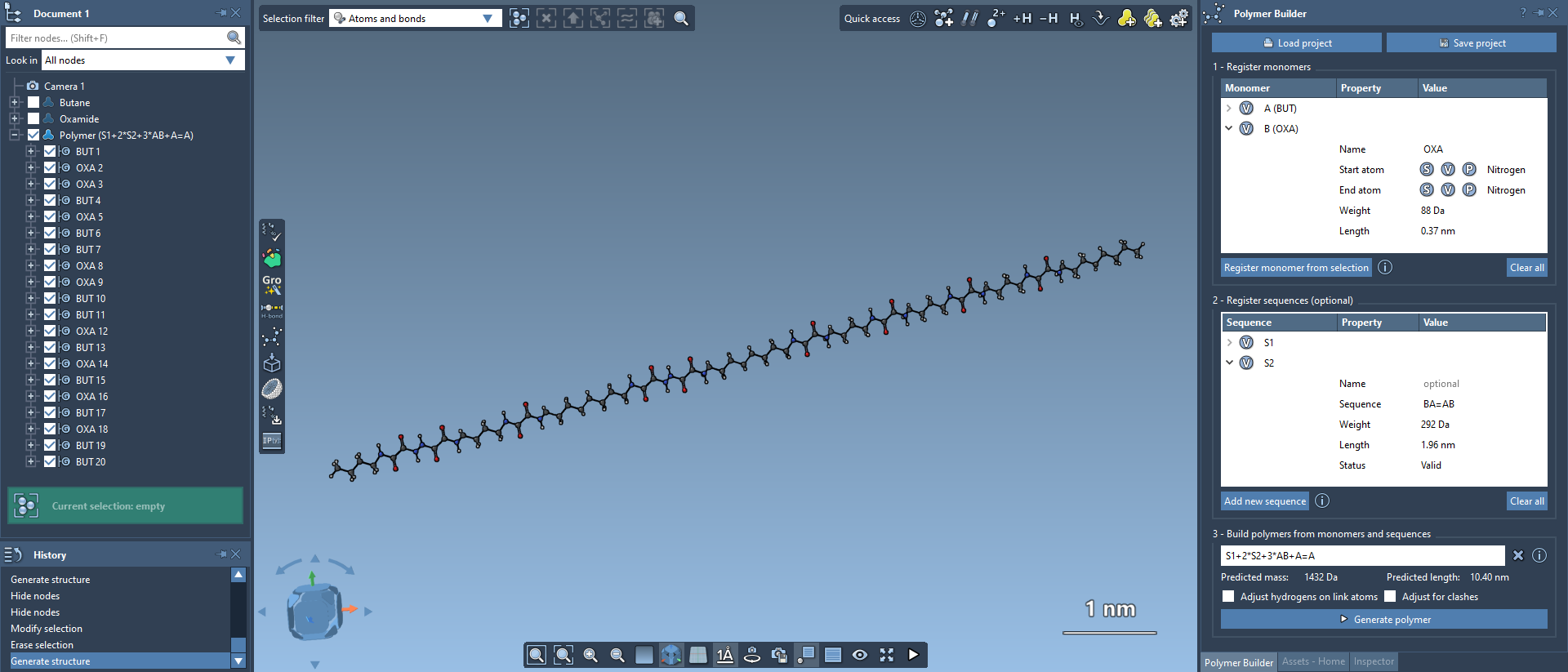
Once your monomers and sequences are ready, it’s time to generate a polymer. Define a custom sequence expression, which specifies how monomers and sequences are linked:
|
1 |
S1 + 2*S2 + 3*AB + AB=BA |
In this example:
S1: Sequence starts.2*S2: Repeat sequence S2 twice.3*AB: Repeat monomer combination AB three times.
The generated polymer follows direction logic, with unnecessary hydrogens removed from connection sites. Predicted molecular weight and length are also provided for validation.
Advanced Options
- Adjust Hydrogens: Automatically modifies hydrogen atoms at connection points based on valence requirements.
- Avoid Clashes: Resolves steric overlaps, which may result in slight curvature adjustments.
Once your polymer is generated, you can further minimize it using SAMSON’s built-in minimizer for optimized results.
Conclusion
The Polymer Builder extension simplifies the creation of custom polymers with tailored properties and configurations. By following this guide, you can quickly assemble polymers for material property prediction, biopolymer synthesis, or molecular design. To explore all its features and dive deeper, visit the official documentation page.
Note: SAMSON and all SAMSON Extensions are free for non-commercial use. Get SAMSON today at SAMSON Connect.