



For molecular modelers, achieving stable and realistic molecular geometries is a crucial step before running simulations. Whether you’re designing molecules or preparing complex systems for computational studies, optimizing molecular geometry can often be a tedious and time-consuming process. Enter the FIRE Minimizer in SAMSON—a fast and efficient geometry optimization tool designed to save you time while improving accuracy.
The Pain Point: Time-Consuming Optimization
Traditional methods, like steepest descent, can be slow, especially when working with large or flexible molecular systems. The challenge lies in the inefficiency of these methods to handle collective motions or subtle structural adjustments, often leading to longer iteration times and delayed workflows for molecular modelers.
The FIRE Minimizer addresses this by providing a faster approach to optimization while maintaining precision. Its ability to integrate into SAMSON’s interactive workflows and compatibility with various molecular interaction models makes it an indispensable tool for molecular geometry optimization.
How FIRE Simplifies Geometry Optimization
The FIRE Minimizer allows users to efficiently relax molecular structures before simulations. It is especially effective when dealing with large-scale molecular motions where small changes in potential energy require significant geometric adjustments.
Unlike traditional methods, the FIRE Minimizer leverages advanced algorithms to accelerate convergence, providing you with cleaner, optimized geometries in less time. This efficiency is particularly valuable when preparing systems for more detailed and computationally expensive simulations.
Steps to Use the FIRE Minimizer in SAMSON
Step 1: Getting Started
To begin, log into your SAMSON Connect account and install the FIRE Minimizer Extension. After restarting SAMSON, the extension will be ready to use. It is recommended to initially load a small test system to observe the effect of the minimization settings.
Step 2: Load a Molecular System
In SAMSON, you can load molecular systems from formats such as PDB or MOL2, among others. If you’re new to loading molecular structures, refer to this guide for step-by-step instructions.
Step 3: Add a Simulator and Enable FIRE
Follow these steps to add the FIRE Minimizer as part of your simulation workflow:
- Navigate to Edit > Add Simulator.
- Select the interaction model appropriate for your system.
- In the State Updaters list, choose FIRE.
Tip
For a quick overview of available simulators, visit Simulators Overview.
FIRE vs. Steepest Descent
One of the key advantages of the FIRE Minimizer is its significantly faster convergence compared to traditional steepest descent algorithms. The speedup is most noticeable when large-scale molecular motions occur, even when the potential energy changes are minimal. To illustrate this, here’s a visual comparison:
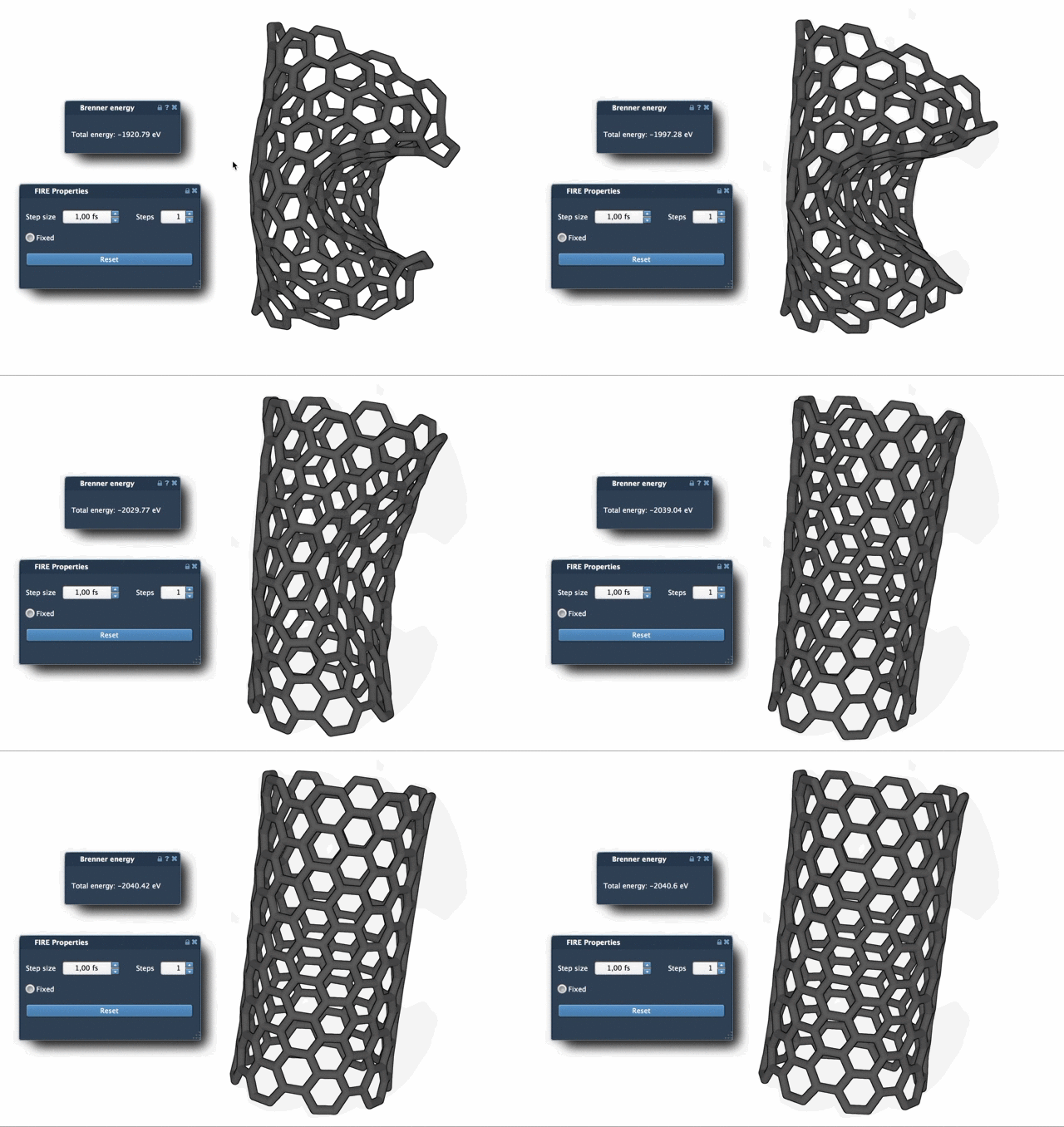
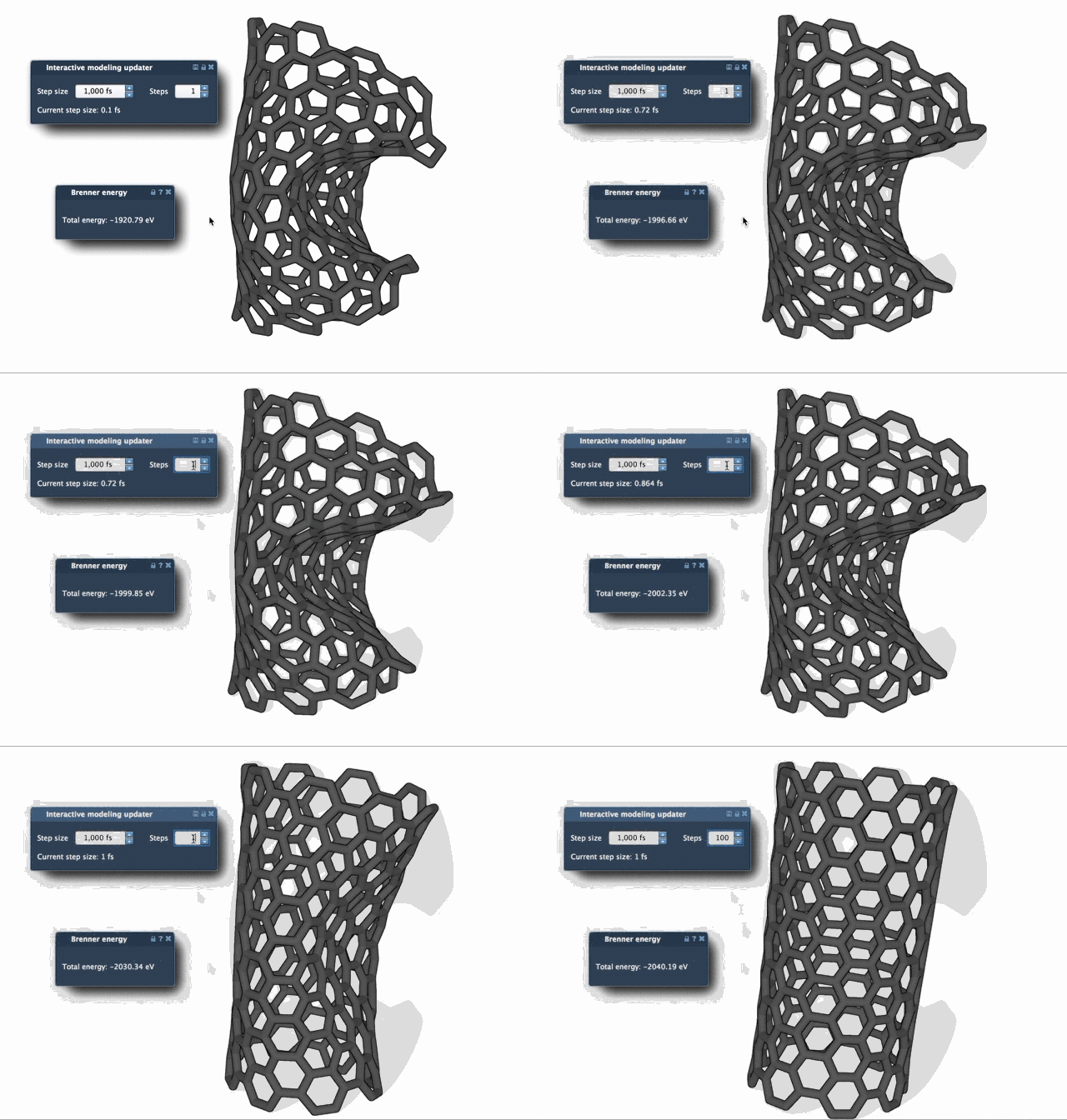
As shown above, the FIRE Minimizer updates geometries more effectively, enabling faster and smoother structural optimization. To further enhance visualization during optimization, you can increase the Steps parameter, resulting in less frequent but more noticeable updates.
Conclusion
The FIRE Minimizer in SAMSON offers a robust solution for geometry optimization, particularly suited for molecular modeling and pre-simulation cleanup tasks. By integrating the FIRE Minimizer in your workflow, you can save valuable time and prepare high-quality molecular geometries for further studies.
Learn more about the FIRE Minimizer and access the full tutorial by visiting the original documentation page: FIRE Minimizer Documentation.
Note: SAMSON and all SAMSON Extensions are free for non-commercial use. You can download SAMSON at SAMSON Connect.