



Creating accurate molecular environments is a significant challenge for molecular modelers. Whether you’re working on solvent boxes, building lipid layers, or preparing custom molecular assemblies, there’s often the time-consuming task of arranging molecules in a 3D space while avoiding overlaps. Fortunately, the Molecular Box Builder extension in SAMSON simplifies this process, helping you generate packed and aligned molecular boxes with ease.
Why You Might Need This
If you’ve ever tried manually populating a molecular box, you know how demanding it can get. From estimating how many molecules fit in a given volume to ensuring precise alignment and avoiding collisions, the process can strain both time and effort. SAMSON’s Molecular Box Builder provides an intuitive solution—it lets you automatically fill a 3D box with molecules effortlessly.
A Step-by-Step Demonstration
Here’s how you can use the Molecular Box Builder to save time in assembling molecular boxes:
Step 1: Set the Molecule
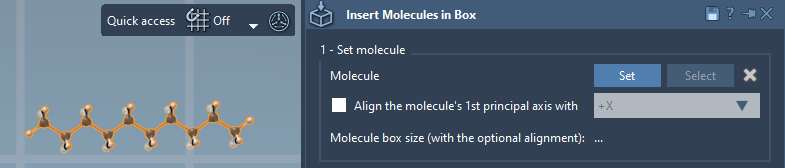
First, select the molecule you want to replicate within the box. This can be a small molecule, a residue, or even a complex molecular system. Open it within SAMSON’s Document view or Viewport, and use the app’s Set button to lock it in. Not sure about what’s selected? Just click Select in the app to highlight the chosen structure, or use X to clear and start over.
Step 2: Define the Box
Once you’ve set your molecule, it’s time to configure the box. Enter the dimensions in terms of X, Y, and Z, and specify any necessary margin between molecules. By default, the tool automatically calculates how many molecules fit inside based on the given dimensions and ensures no overlaps between them. Adjusting the box size or molecule margins updates the prediction dynamically.
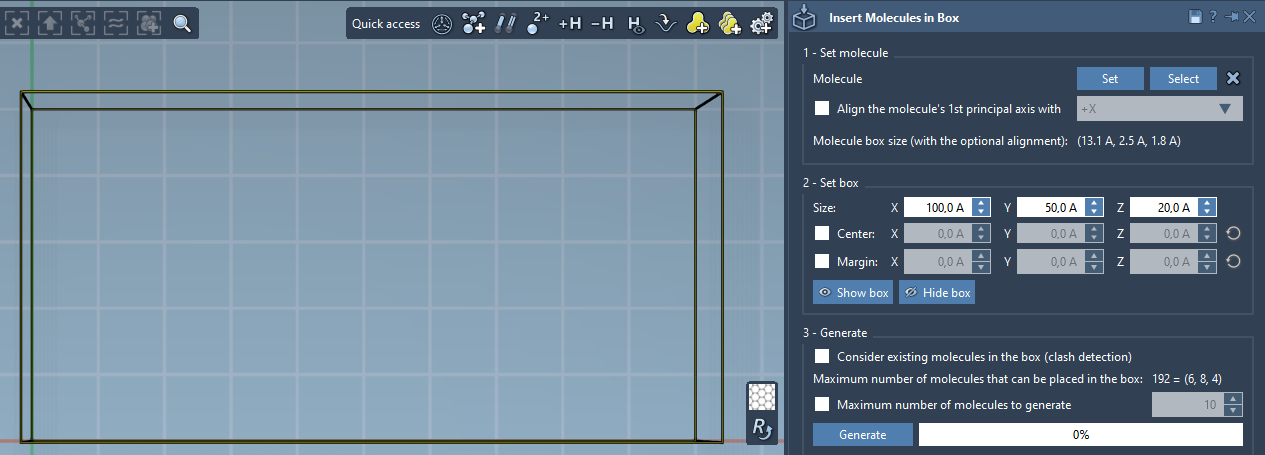
Want precise placement? You can center the box around a specific origin point and even toggle visibility to better visualize molecular alignment.
Step 3: Generate the Final Assembly
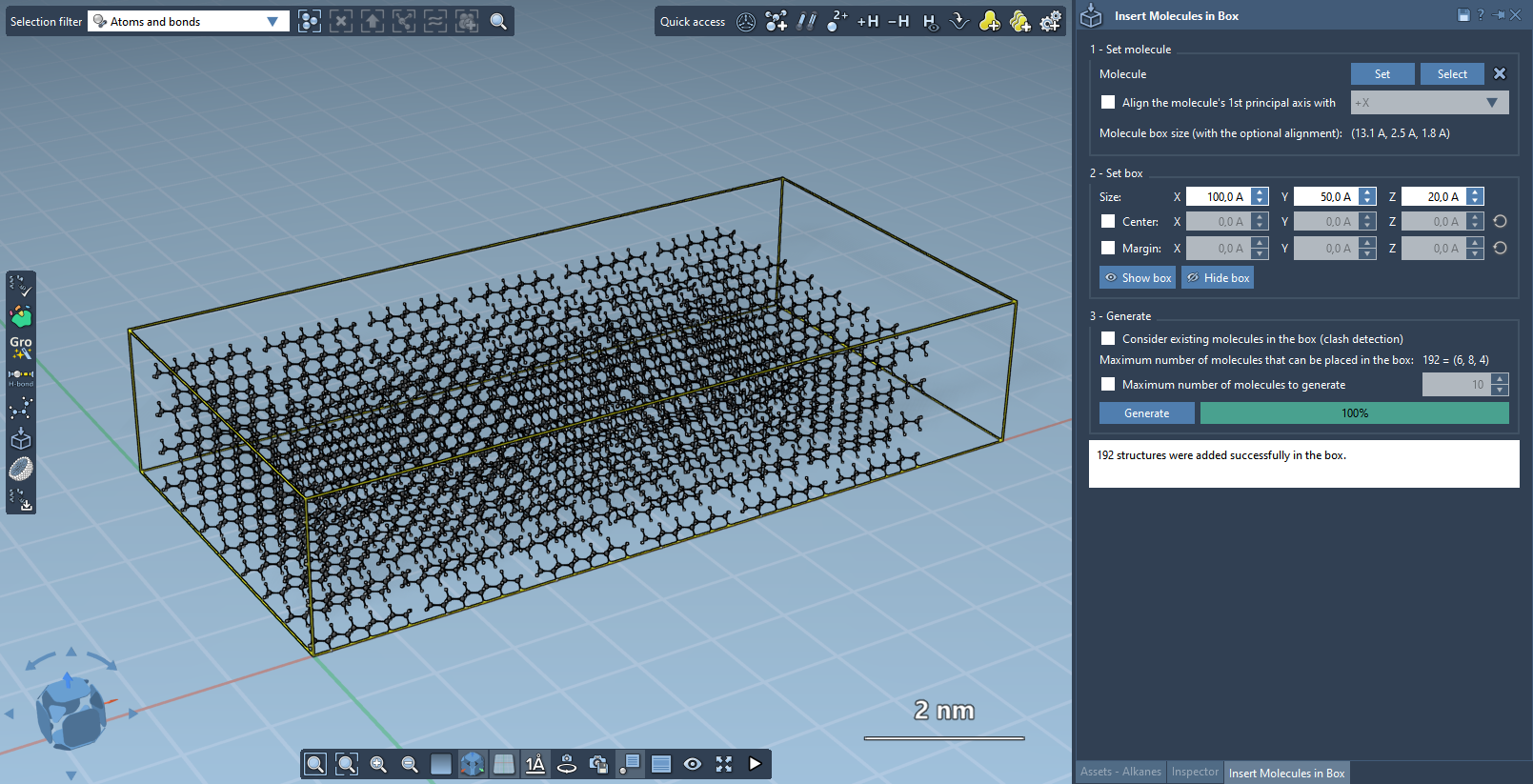
This is where the magic happens. Click Generate, and the Molecular Box Builder will populate the box with non-overlapping copies of your chosen molecule. You can also cap the total number of molecules to be generated if necessary.

The result? A molecular box perfectly filled with your selected molecules, ready for further simulation tasks.
Designing Custom Lipid Layers
One particularly exciting application of Molecular Box Builder is the creation of lipid membranes around proteins. By aligning a protein to a specific axis and carefully defining the molecular box size, you can generate a protective lipid layer in a matter of minutes. This feature proves invaluable for researchers studying membrane proteins or modeling biologically relevant environments.
Concluding Thoughts
The Molecular Box Builder streamlines tedious molecular assembly tasks, saving you valuable time and ensuring precision. Whether you need to fill a box with solvents or create complex molecular environments, this tool is designed to cater to the needs of molecular modelers.
To explore more features and advanced options, visit the official documentation page.
Note: SAMSON and all SAMSON Extensions are free for non-commercial use. Download SAMSON today at https://www.samson-connect.net.