



A molecular structure can look close to ready and still contain awkward geometry: atoms may be crowded, bonds or angles may be strained, or the whole structure may need to shift before a simulation. Moving atoms by hand is rarely a reliable way to resolve all of that. Geometry optimization provides a more systematic way to relax a structure toward an energy minimum, using the interaction model selected for the system.
One option in SAMSON is the FIRE minimizer—the Fast Inertial Relaxation Engine. It is useful when you want to clean up a structure before simulation or continue modeling while the geometry relaxes. FIRE is based on the method described by Bitzek and colleagues, and is particularly useful for collective motions, where many parts of a structure may move together.
Why the choice of minimizer matters
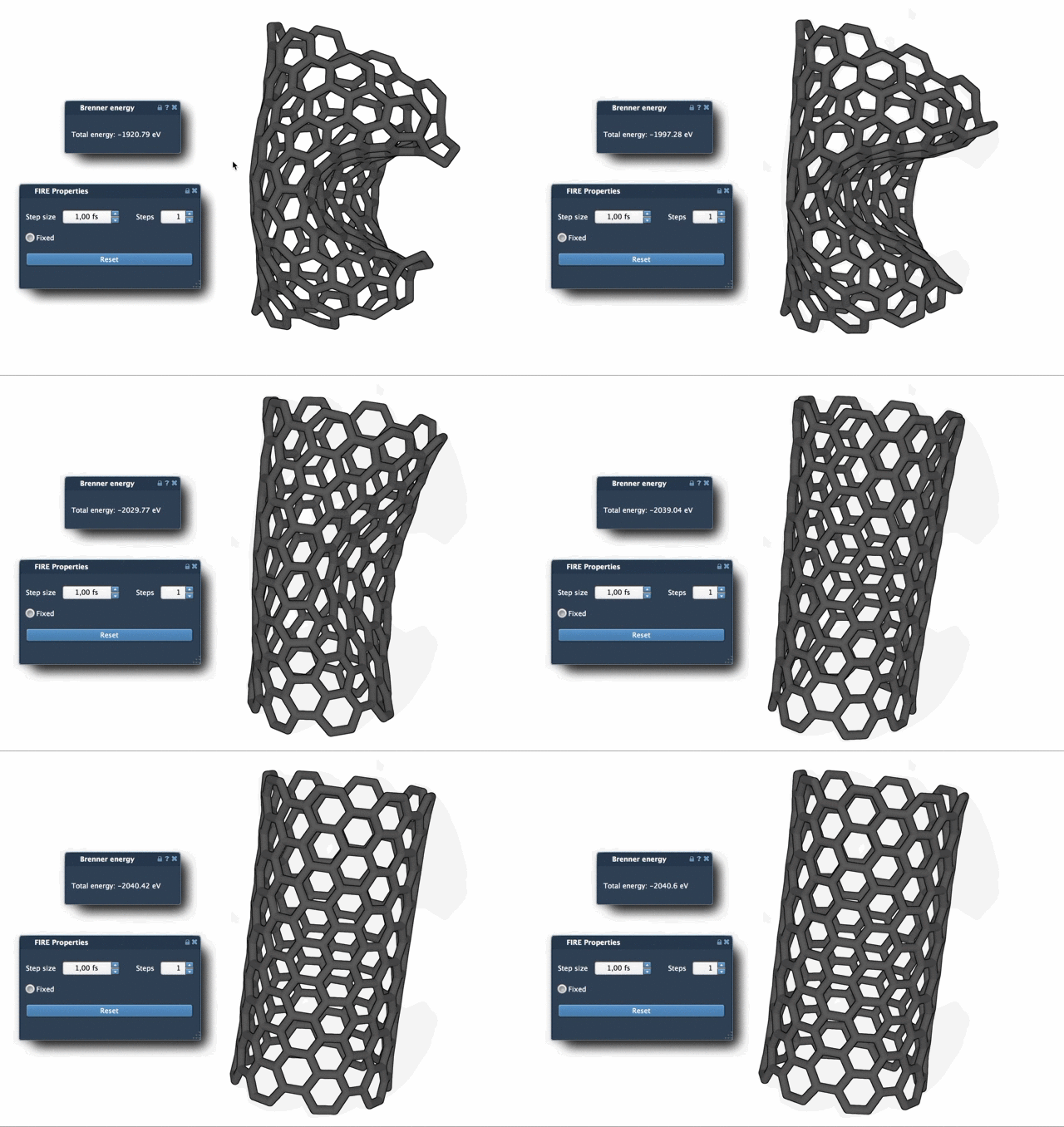
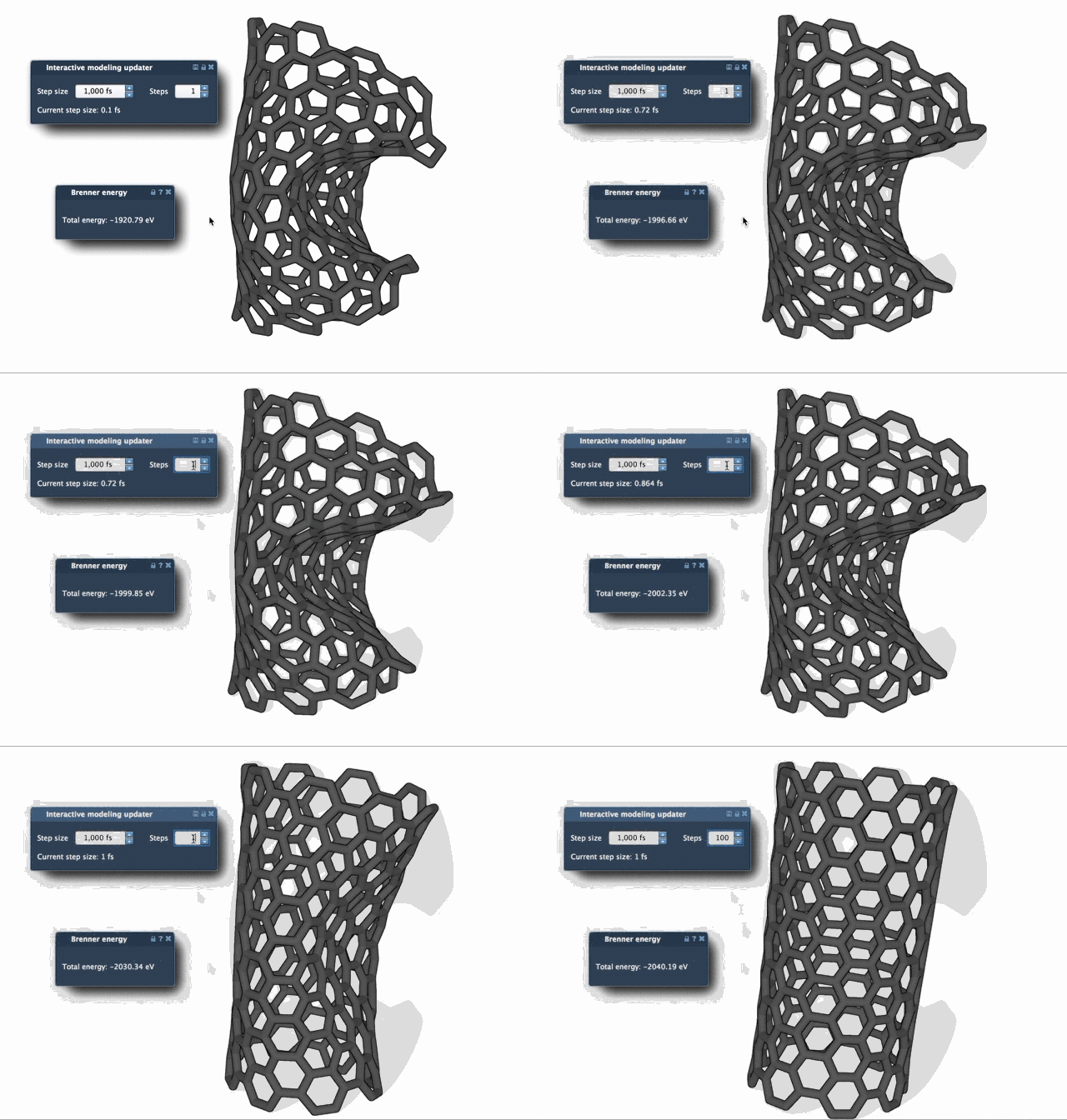
Steepest descent follows the local downhill direction at each step. That makes it a straightforward approach, but it can make slow progress when the energy changes only a little while the geometry continues to move substantially. FIRE is designed to converge faster in cases like these, especially for large-scale motions. The comparison below shows the difference in relaxation behavior; the exact result depends on the molecular system and interaction model.
A focused workflow in SAMSON
Start with a molecular system loaded from a supported format such as PDB or MOL2. If you are new to loading structures, see the Loading Molecules Guide.
- Open Edit > Add Simulator.
- Choose the interaction model you want to use for the system.
- In the State Updaters list, select FIRE.
The interaction model and the state updater play different roles in this workflow: select the model for the system, then choose FIRE to update the structure during minimization. For background on how these parts fit together, consult the Simulators Overview.
Understand the settings before adjusting them
Step size sets the initial integration step for minimization. Steps controls how many FIRE steps are taken between viewport updates. It is therefore an update-frequency setting—not a measure of how many total steps the minimization will run. Increasing it makes updates less frequent but more pronounced, which can make the overall motion easier to observe. Fixed optionally keeps the step size constant.
Rather than changing several settings at once, begin with the defaults and observe how the structure behaves. Then adjust the setting relevant to what you want to inspect—for example, increase Steps if frequent viewport updates make the relaxation difficult to follow. The documentation does not prescribe one best setting for every system, so treat the settings as controls to explore in the context of your model.
One detail that saves confusion
If you manually move atoms while FIRE is running, the minimizer retains a history of its previous motion. Press Reset to clear that history after making manual changes. This is useful when you have repositioned part of a structure and want the minimization to proceed from the revised geometry rather than carry forward the earlier history.
FIRE is a geometry-relaxation tool, not a substitute for choosing an appropriate interaction model or evaluating whether the resulting structure is suitable for your scientific purpose. It can also be used by other SAMSON workflows: for example, the Molecular Restrainer extension uses FIRE for energy minimization of NMR-derived structures.
For the full tutorial and setup details, read the FIRE minimizer documentation.
Note: SAMSON and all SAMSON Extensions are free for non-commercial use. Get SAMSON.