



A molecular structure can look close to ready and still need a final geometry cleanup before simulation or further modeling. The challenge is not simply to move atoms: the structure needs to relax toward an energy minimum under a chosen interaction model. For large-scale motions, steepest descent may make progress slowly, even when the potential energy changes only a little.
SAMSON’s FIRE (Fast Inertial Relaxation Engine) minimizer offers another way to perform this relaxation. Based on the method by Bitzek and colleagues, FIRE is designed to converge faster than steepest descent, particularly when the geometry continues to evolve through collective motions. It works with any SAMSON interaction model, making it useful as a general geometry-optimization step in a modeling workflow.
A simple setup sequence
- Load the molecular system. SAMSON supports PDB, MOL2, and other formats. If you are trying the minimizer for the first time, begin with a small test system so the effect of the settings is easier to see.
- Add a simulator. Choose Edit > Add Simulator, then select the interaction model you want to use.
- Select FIRE. In the simulator’s State Updaters list, choose FIRE. The interaction model supplies the context for the optimization; FIRE is the state updater that advances the geometry.
This distinction is useful when troubleshooting: choosing FIRE does not replace choosing an interaction model. Both are part of setting up the simulator.
Understand the three settings
The minimizer exposes a small set of controls. Step size is the initial integration step for minimization. Steps sets how many FIRE steps occur between viewport updates. This affects how often you see the structure refresh, not just the underlying goal of minimizing its geometry. If the progress is difficult to follow, try increasing the Steps value: updates will be less frequent, but each visible change will be more pronounced.
The optional Fixed setting forces the step size to remain constant. It is a control to be aware of when configuring a run; the documentation does not prescribe one value or setting for every system, so use a small test system to understand how your choices appear in the viewport.
Why compare it with steepest descent?
The difference is easiest to appreciate by watching both methods. FIRE can make faster progress when the structure is undergoing substantial, coordinated motion, including cases where energy changes are small while the geometry is still changing noticeably. The examples below show the two relaxation approaches side by side in motion.
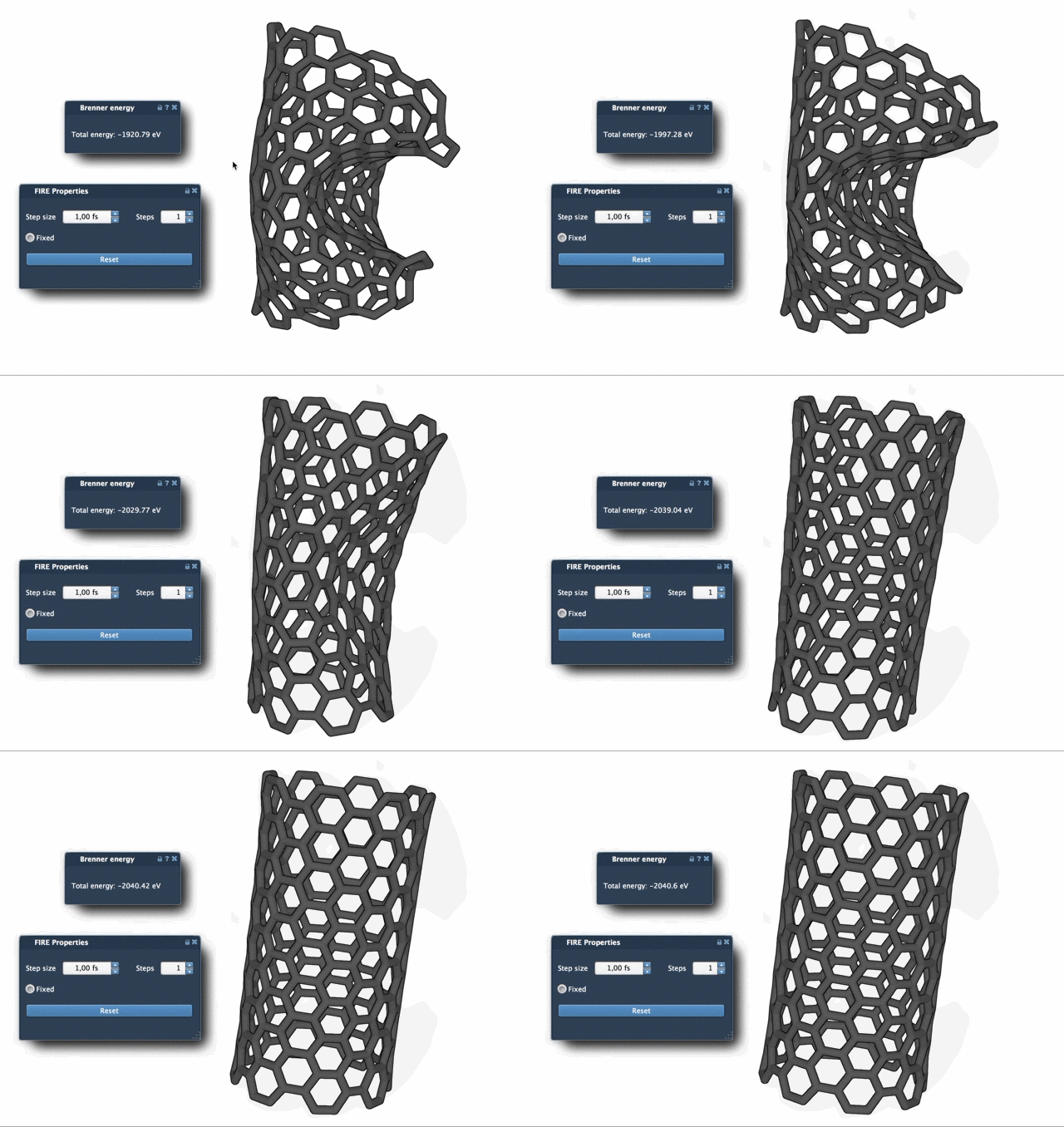
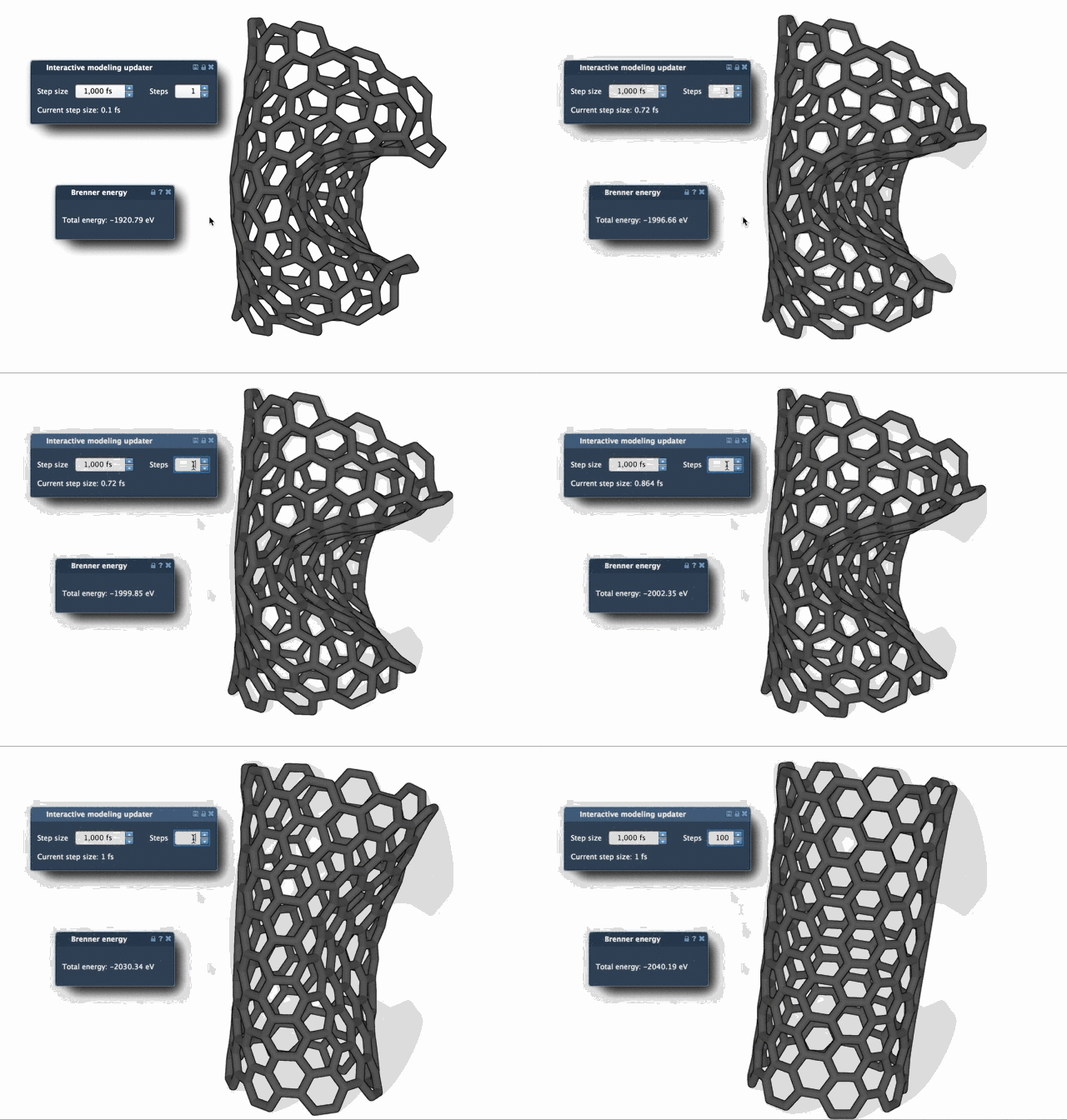
These animations are a helpful reminder that a single energy-related intuition may not tell the whole story: watching the geometry evolve can make progress easier to interpret. If you manually move atoms while minimization is running, press Reset to clear FIRE’s history before continuing.
Where FIRE fits in a larger workflow
FIRE is implemented as a SAMSON State Updater, so it can be used in apps or extensions that need geometry optimization. One example is the Molecular Restrainer extension, which uses FIRE for energy minimization of NMR-derived structures. In practice, that makes FIRE relevant not only as a standalone cleanup step, but also as part of a workflow that combines optimization with other modeling tools.
For the complete setup instructions and related tutorials, see the FIRE minimizer tutorial.
Note: SAMSON and all SAMSON Extensions are free for non-commercial use. Get SAMSON.