



A protein model can look plausible in 3D and still contain backbone conformations worth investigating. Those local problems are easy to miss when you inspect the structure residue by residue in the viewport—especially before refinement, docking, or simulation. A Ramachandran plot gives you a compact way to spot where backbone dihedral angles fall in relation to energetically favored regions, then connect each point back to the structure.
In SAMSON, the Interactive Ramachandran Plot makes that check interactive: select a residue from the plot, inspect it in the 3D view, and adjust its conformation while watching the plot respond. The goal is not to make every point fit a pattern blindly, but to identify residues that deserve attention and assess their local geometry.
Read the plot before editing
A Ramachandran plot places the backbone dihedral angles φ (phi) and ψ (psi) on its axes. The shaded yellow areas indicate energetically favorable regions; white areas indicate unfavorable conformations. These regions help you identify potential outliers, but a plot is one diagnostic view—not a substitute for considering the broader structural context.
To try the workflow, install the Interactive Ramachandran Plot extension, restart SAMSON, and open a protein structure. The tutorial uses PDB ID 1YRF; you can load it from Home > Fetch by entering the ID and choosing a PDB or PDB (mmCIF) option. Then open Home > Apps > Biology > Ramachandran plot and click Update.
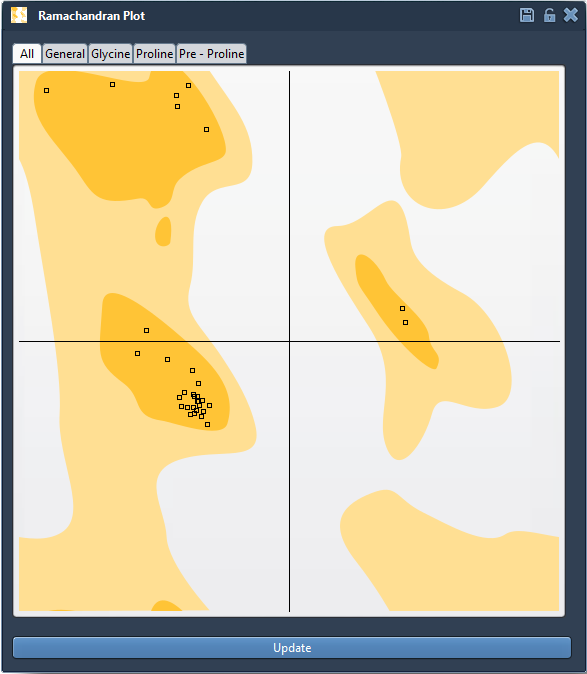
Before changing anything, scan the plot for points outside favored regions. Use the tabs—All, General, Glycine, Proline, and Pre-proline—to inspect residue categories separately. This matters because residue type is relevant when interpreting backbone conformations; the plot provides category-specific views rather than treating every residue as identical.
Connect a suspicious point to the structure
Click a point to select its residue in the 3D viewport. The status bar displays the corresponding φ and ψ values, giving you a direct link between the point on the plot and the residue you are examining. This connection helps answer a practical question: is the unusual point associated with a region of the protein that you want to inspect more closely?

A useful habit is to inspect first and edit second. Note which residues appear unusual, select them individually, and check their location in the structure. Avoid treating the plot as an automatic instruction to move every point into a favored area; use it to guide careful review.
Make a local adjustment and watch the result
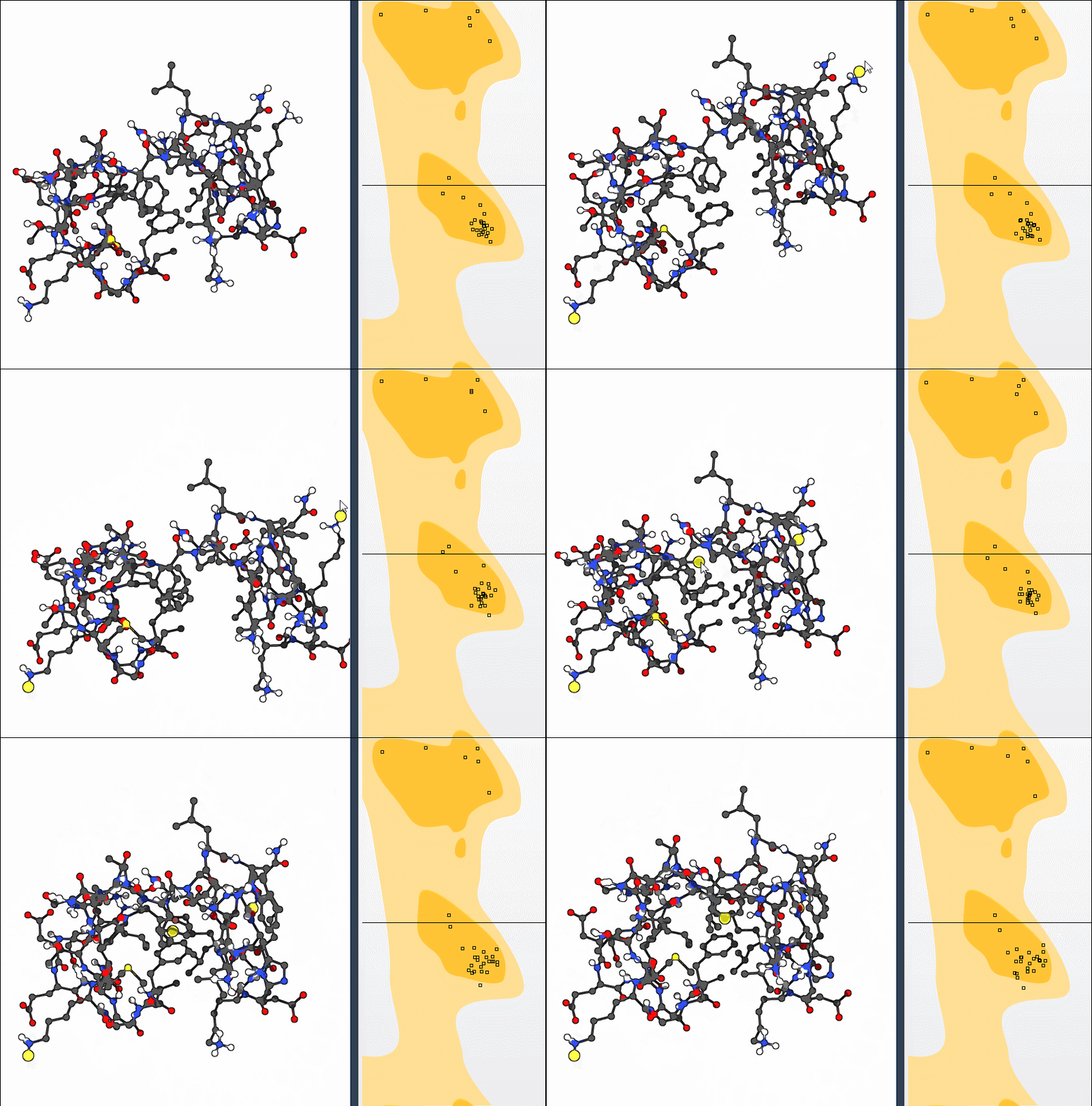
To edit a conformation, drag a point on the plot. The φ and ψ angles change in real time, and the 3D structure updates as you work. If an adjustment is not useful, press Ctrl+Z on Windows or Linux, or Cmd+Z on macOS, to undo it.
You can also use SAMSON’s Twister editor: select it from the left-hand menu in the viewport, then twist the protein in 3D space while observing the plot update. The plot-based approach gives you direct control over a point in angle space; Twister lets you make a change in the 3D view. Both provide visual feedback, so you can check how the conformation changes rather than editing without seeing its effect.
Use the plot as part of a broader workflow
Ramachandran inspection can help you find strained residues before simulation, review outliers in a homology model, or explore flexibility near an active or binding site. For a combined exercise, the SAMSON tutorial suggests computing the first 10 nonlinear normal modes for 1YRF, shifting the first mode fully left with the scaling factor set to 1, and then using the plot to adjust conformations. This illustrates how a broader structural motion and local backbone changes can be examined together.
After editing, revisit the plot and the 3D structure to review the changes. A more favorable point on the plot is useful feedback, but it should be considered alongside the protein’s structural context and any other validation steps relevant to your modeling task.
For the complete walkthrough, see the Interactive Ramachandran Plot tutorial.
Note: SAMSON and all SAMSON Extensions are free for non-commercial use. Get SAMSON.