



A protein structure can look plausible in a molecular viewer while hiding a troublesome change in its backbone. A loop may shift between conformations, a residue may become an outlier, or a transition may be hard to spot when you inspect structures one frame at a time. The Ramachandran plot in SAMSON’s Path Analyzer offers a way to inspect those changes across a path in one view.
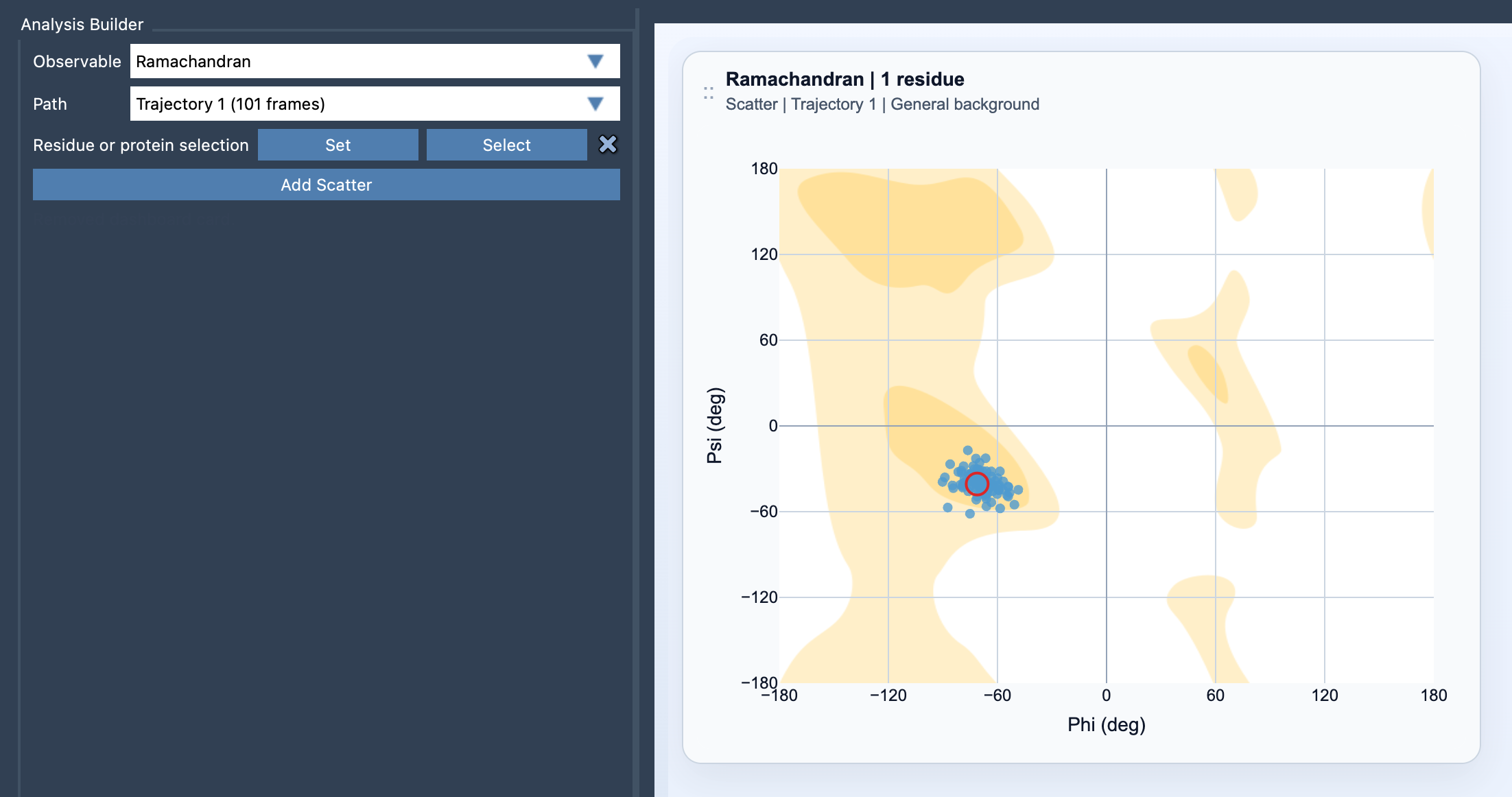
The plot places each residue’s backbone phi angle on the x-axis and psi angle on the y-axis. Instead of relying only on how a structure looks, you can see how its backbone conformations are distributed in phi/psi space as the path changes. This can help you focus an investigation: is a particular residue changing, does a selected loop show varied conformations, or does the broader protein display a wider pattern of backbone sampling?
Start with a question, then choose the selection
Before adding the plot, decide whether you are investigating a specific region or looking for a protein-wide picture. If you care about one loop, motif, or active site, use a focused residue selection. If you want to examine conformational sampling across the protein, use a broader selection. This choice matters: a focused selection makes it easier to investigate a local change, while a broad one gives you a wider view.
The selection must contain atoms belonging to protein residues. Each valid residue contributes phi/psi points across the path. In Path Analyzer, open the tool, choose Ramachandran under Observable, choose a Path, define the residue or protein selection, and click Add Scatter. The plot uses a suitable background automatically; you can change it later in the card settings.
Use the plot to investigate, not just to inspect
A scatter plot is most useful when it helps answer a concrete question. If you notice a point you want to investigate, click it to move the path to the corresponding frame. You can then inspect the structure at that point in the path. Double-clicking a point selects its corresponding residue in SAMSON, which gives you a direct way to connect a plotted observation to the residue in the molecular scene.
This interaction creates a practical loop: notice a point, move to its frame, and select the residue for closer inspection. It is particularly helpful when you see a pattern that deserves follow-up but do not yet know which residue or moment in the path is responsible. The plot helps you navigate the data; structural interpretation still depends on examining the model and the context of your analysis.
Pair backbone angles with other views
Phi/psi values are one perspective on a protein path, not a complete description of it. For a more informative read, compare the Ramachandran plot with Secondary structure content and RMSD. Together, these views can help you relate backbone conformations to changes in secondary-structure content and structural deviation along the path.
A useful habit is to begin with the region you care about, inspect any points that prompt questions, and then broaden the selection if you need a global view. That keeps the plot tied to the modeling problem rather than turning it into a collection of points without a clear purpose.
For setup details and the available interactions, see the Ramachandran documentation.
Note: SAMSON and all SAMSON Extensions are free for non-commercial use. Get SAMSON.