



A protein model can look convincing in 3D and still contain backbone conformations worth a closer look. This is a practical problem during model refinement: a strained residue may be easy to miss while viewing the whole structure, but it can matter when preparing a model for further work.
A Ramachandran plot offers a residue-by-residue view. It maps the backbone dihedral angles φ (phi) and ψ (psi), showing which combinations fall in energetically favorable or unfavorable regions. In SAMSON, the Interactive Ramachandran Plot connects that view to the 3D structure, so you can inspect a residue and, if appropriate, adjust its conformation.
Start with the plot, not a guess
Open a protein structure in SAMSON, then launch the Ramachandran plot from Home > Apps > Biology > Ramachandran plot. Click Update to generate the plot. In the display, yellow areas mark energetically favorable regions, while white areas mark unfavorable conformations.
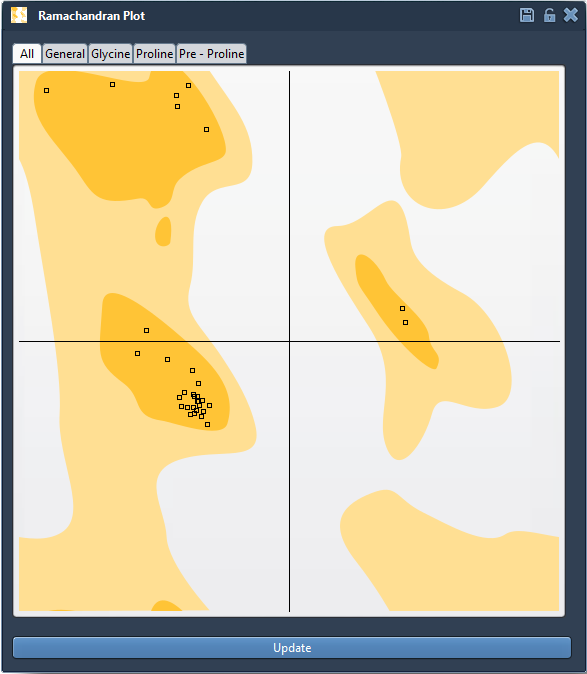
Before changing anything, use the tabs to view All residues or focus on General, Glycine, Proline, or Pre-proline residues. These categories help you examine the plot in context rather than treating every residue as if it had the same category. A useful first pass is to look for points in unfavorable regions, then inspect those residues individually.
Connect an unusual point to the structure
Click a point in the plot to select its residue in the molecular viewport. The status bar reports the corresponding φ and ψ angles. This link between the 2D plot and 3D structure is important: it lets you move from “there is an unusual point” to “this is the residue and conformation I need to examine.”
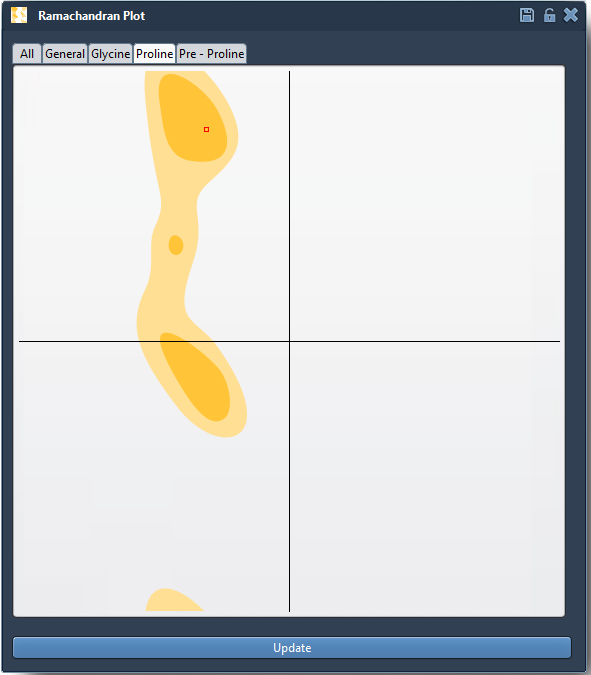
Take a moment to inspect the selected residue in the structure before editing. The plot helps identify and select conformations; it does not decide whether a particular change is appropriate for your modeling goal. Keeping that distinction in mind can help prevent turning a visual outlier into an unconsidered structural change.
Make a local adjustment and watch its effect
There are two ways to edit a backbone conformation with the Interactive Ramachandran Plot:
- Drag a point in the plot. The φ and ψ angles change as you move it, and the 3D structure updates in real time. This makes it possible to observe how a change in the plot corresponds to a change in the structure.
- Use the Twister editor. Select the Twister editor from the left-hand menu in the viewport, then twist the protein in 3D space. The plot updates live as you work.
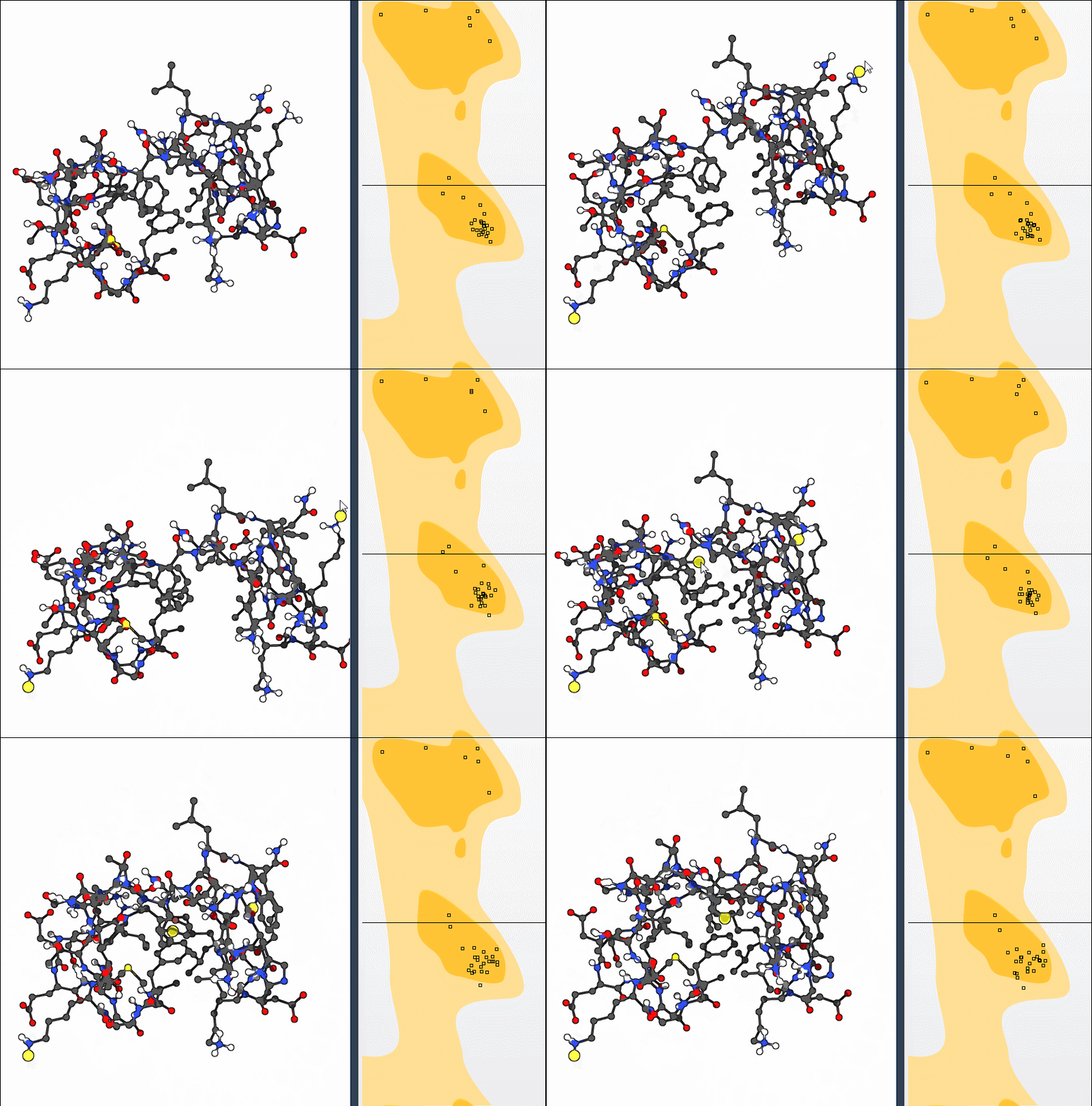
These options support an inspect-and-adjust workflow: select a residue, make a change, and check where the point moves relative to the favorable regions. If an edit is not useful, undo it with Ctrl+Z on Windows or Cmd+Z on macOS. Undo is especially helpful when exploring alternatives, because you can test a change without treating the first attempt as final.
A focused workflow for model refinement
- Load the protein and update the plot.
- Review the residue categories and locate points in unfavorable regions.
- Select a point to identify the residue in the 3D viewport and check its φ and ψ values.
- Adjust the conformation in the plot or with the Twister editor, observing both views.
- Undo changes that do not improve the conformation you are trying to address.
This workflow can help you spot strained residues before simulation, inspect outliers in a homology model, or explore conformational flexibility in a binding or active site. It also provides a concrete way to connect backbone angles to the shape of a protein, rather than treating φ and ψ as abstract numbers.
For setup instructions and the complete tutorial, see Inspect protein backbone conformations with the Ramachandran Plot.
Note: SAMSON and all SAMSON Extensions are free for non-commercial use. Get SAMSON at samson-connect.net.