



A protein model can look convincing in 3D and still contain local backbone conformations worth checking. The challenge is that a suspicious residue may be hard to spot by eye, especially in a large structure. A Ramachandran plot offers a focused way to inspect backbone dihedral angles and identify residues that fall outside favored regions.
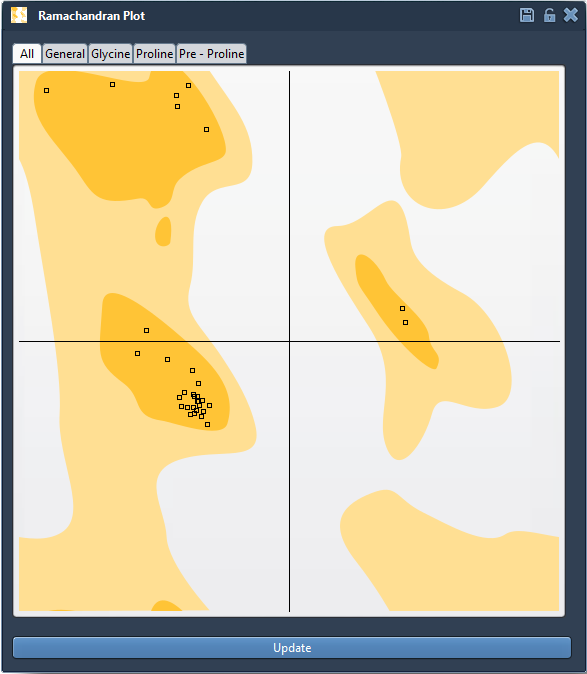
In the plot, each residue is represented by its φ (phi) and ψ (psi) angles. These angles describe rotation around parts of the protein backbone, and their combinations are constrained by steric and energetic considerations. The plot visualizes those conformations: in the SAMSON app, yellow areas indicate energetically favorable regions, while white areas indicate unfavorable ones. This is a useful signal for deciding where to investigate—not, by itself, proof that a residue or the whole model is correct or incorrect.
A practical inspection workflow
Open a protein structure in SAMSON, then launch the Ramachandran plot from Home > Apps > Biology > Ramachandran plot. Click Update to generate the plot for the current structure. The tutorial demonstrates the workflow with PDB ID 1YRF, which can be loaded through Home > Fetch; you can also use a protein structure of your choice.
Start with the full set of residues, then use the category tabs to narrow your inspection. The available views are All, General, Glycine, Proline, and Pre-proline (residues immediately before a proline in the chain). These categories help you examine residues in relevant groups rather than treating every amino acid as interchangeable.
Click a point to select its residue in the 3D viewport. SAMSON also displays the φ and ψ values in the status bar. That connection between a dot and its residue makes it easier to move from “this point looks unusual” to “which part of the structure should I inspect?” Check the local structural context before editing: the plot helps identify a conformation to review, while the surrounding protein and the purpose of your model still matter.
Edit carefully, then review
If you decide a residue needs adjustment, you can drag its point in the plot. The dihedral angles change as you move it, and the 3D structure updates in real time. This gives you a direct way to see how changing backbone angles affects the model. If you want to revert an edit, use Ctrl+Z on Windows or Cmd+Z on macOS.
You can also select the Twister editor from the left-hand menu in the viewport and twist the protein in 3D while watching the plot update. This can be useful when you prefer to manipulate the structure spatially and use the plot as feedback. Whichever method you use, make small, deliberate changes and check the resulting conformation in both views. The goal is not simply to move every point into a colored region, but to inspect and refine questionable conformations in context.
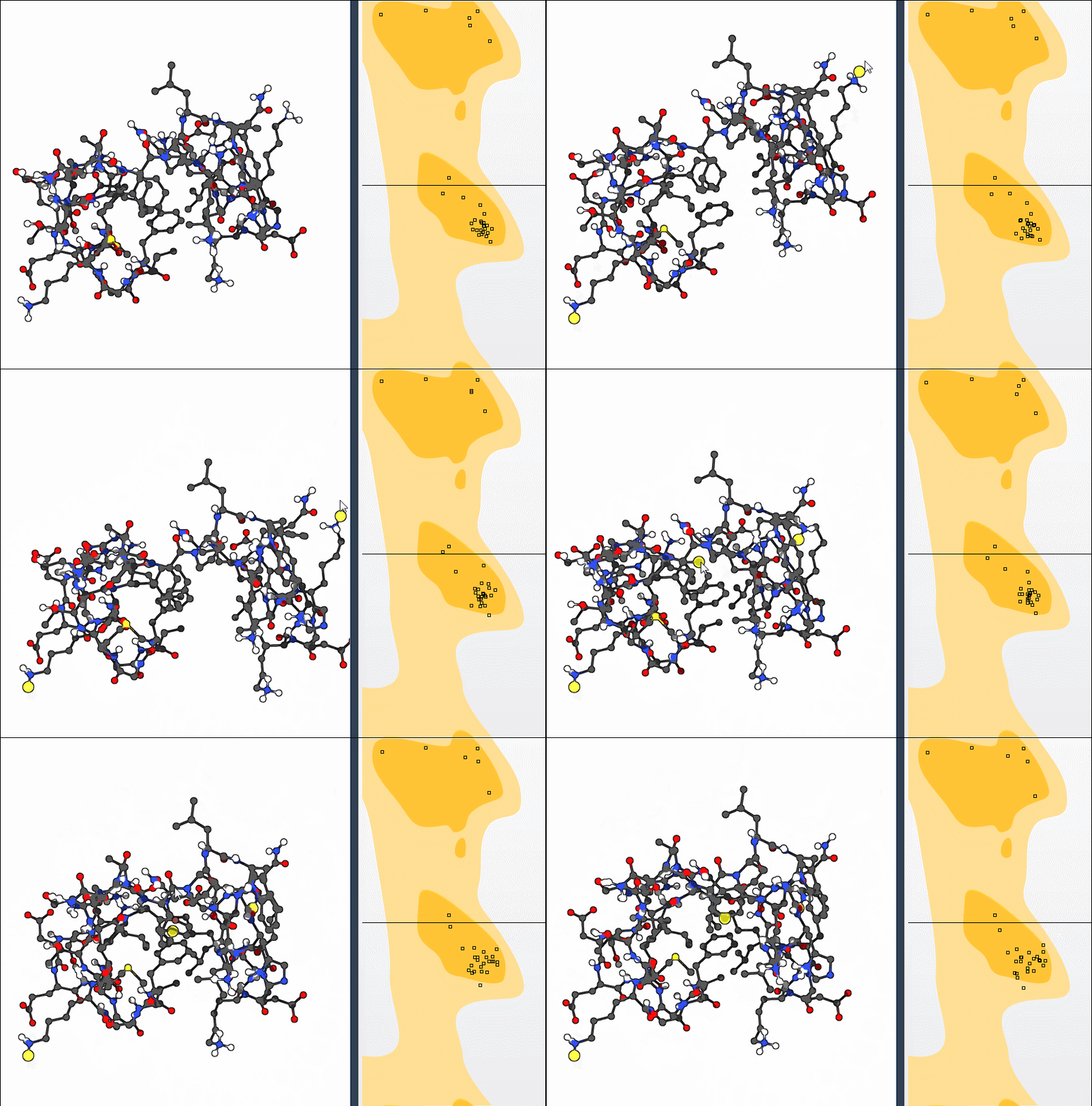
This workflow is useful when checking for strained residues before simulation, reviewing outliers in a homology model, or examining flexibility around an active or binding site. It can also be combined with broader structural changes, such as the nonlinear normal-mode exercise in the tutorial, followed by local conformation adjustments with the plot.
For the complete walkthrough, see the Interactive Ramachandran Plot tutorial.
Note: SAMSON and all SAMSON Extensions are free for non-commercial use. Get SAMSON.