



A common frustration in molecular modeling is having two structures that describe the states you want to connect—but do not contain the same number of residues. A direct comparison or interpolation can become complicated when the structures are not equivalent. The SARS-CoV-2 spike provides a useful example of how to work through that problem while keeping clear what a computed path can, and cannot, tell you.
The example connects the spike’s closed, or “down,” state (PDB 6VXX) with its open, or “up,” state (PDB 6VYB). The open state exposes the receptor-binding region, which can bind the human ACE2 receptor. The spike is a trimer: it is made of three S proteins, and the opening motion is associated with one receptor-binding domain moving into an accessible position.
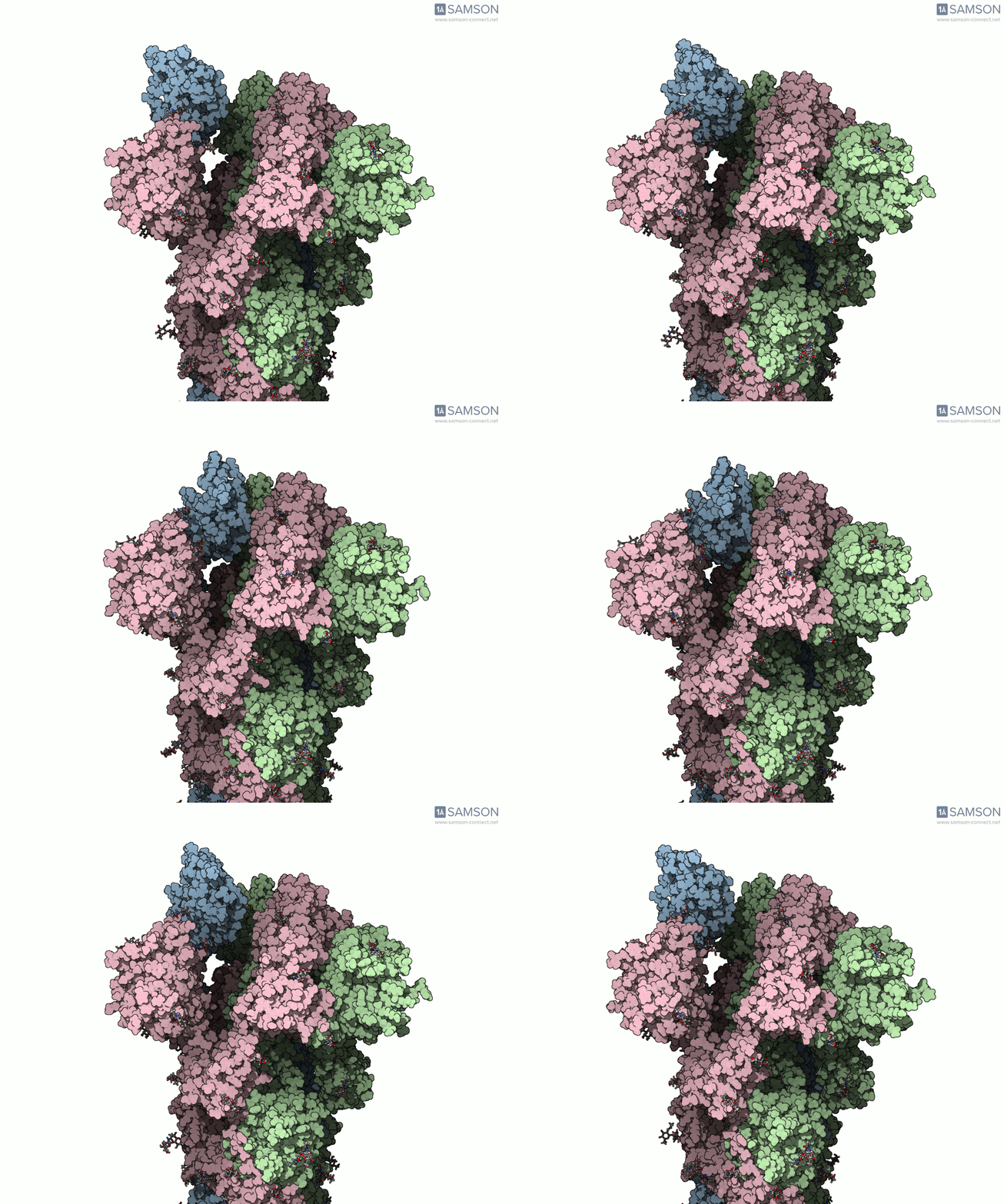
The modeling challenge is that the two endpoint structures differ in residue count. That means the structures cannot simply be treated as perfectly matching snapshots of the same set of atoms. In this workflow, the mismatch is handled by creating an intermediate closed-state conformation that corresponds to the open-state structure, then using that conformation as a better-matched endpoint for path refinement.
A workflow that separates path generation from refinement
- Prepare both structures. The example modifies sugar bond orders using a Python script and the SAMSON Python scripting module, then adds hydrogens and performs minimization steps. Preparing the sugars is needed before adding hydrogens in this workflow.
- Generate an initial path with ARAP. The As-Rigid-As-Possible (ARAP) Interpolation Path module creates an interpolated path between the open and closed structures. The example uses the open structure as the starting conformation and the closed structure as the goal. This initial calculation took less than half a minute on a laptop in the documented example.
- Make a compatible closed-state conformation. Because the path corresponds to the starting structure, the workflow takes a conformation representing the closed state from that path and minimizes it. This produces a closed-state target with the open-state structure’s residue composition.
- Generate and refine the path. ARAP is run again using the newly obtained closed conformation as the goal. The resulting path is then improved with Parallel Nudged Elastic Band (P-NEB), which took about 15 minutes on a laptop in this example.
This sequence illustrates an important practical distinction: an interpolation is a way to construct a candidate route between endpoint conformations; refinement is a separate step intended to improve that route. Neither step makes the result an experimentally observed trajectory. Treat the animation as a structural illustration and a starting point for analysis—not as proof that the protein follows precisely this path in nature.
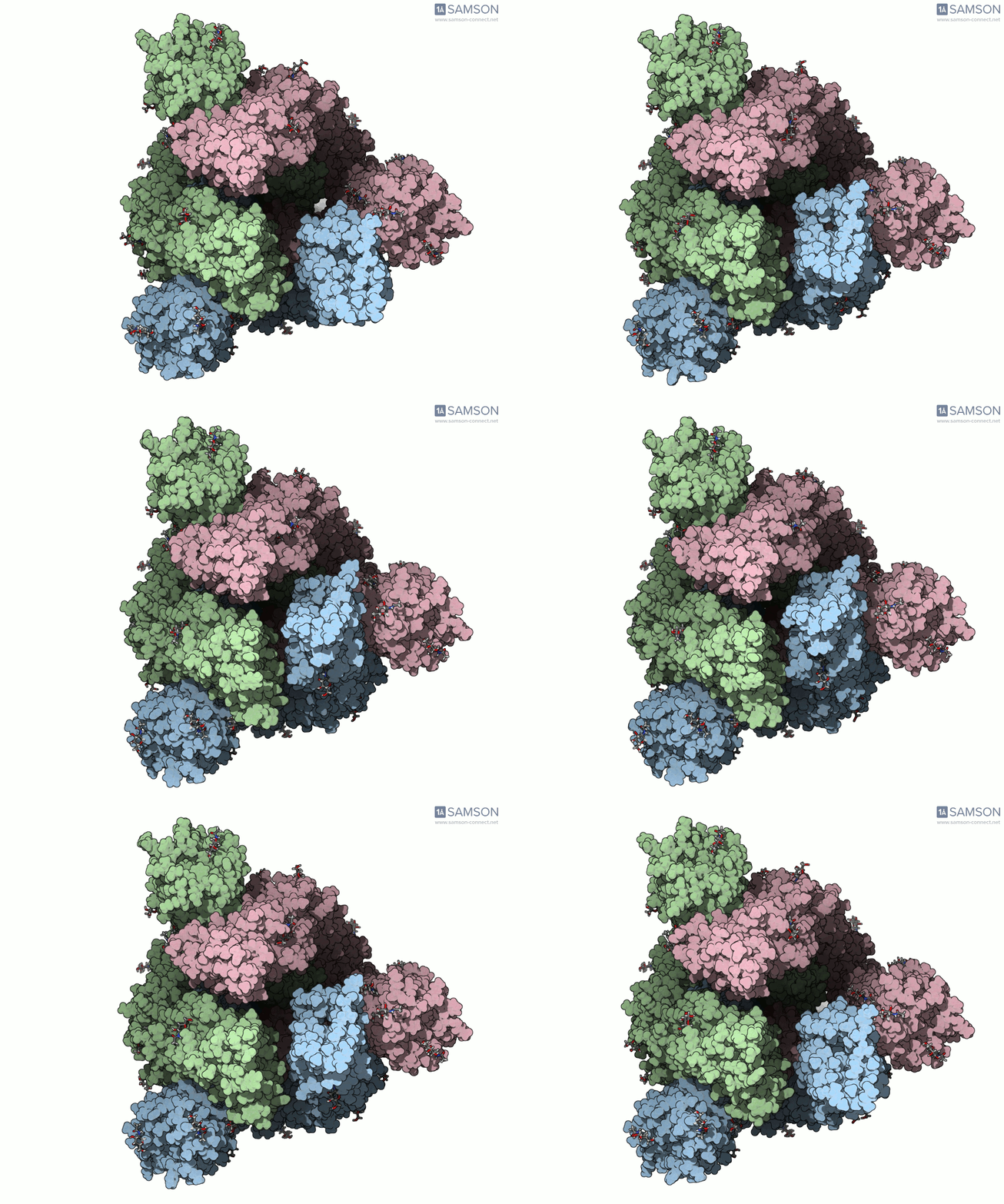
The trajectory is available as separate PDB files, a single PDB trajectory, or a SAMSON file. The SAMSON file includes the spike structure, open and closed conformations, and paths from ARAP and P-NEB; its conformations can be restored and its path animated in the Document view. These files are provided as is and have not been experimentally verified. Further validation or post-processing may be needed before using them in calculations.
For a modeler facing mismatched endpoints, the broader lesson is to check what each path actually represents before interpreting the motion. Confirm which structure supplies the atoms in the generated path, decide whether endpoint composition differences need to be reconciled, and keep the initial interpolation distinct from later optimization. These checks make the workflow easier to understand and the resulting animation less likely to be mistaken for experimental evidence.
Explore the structures, trajectory downloads, and full workflow in the original documentation page.
Note: SAMSON and all SAMSON Extensions are free for non-commercial use. Get SAMSON.