



Creating realistic and customizable carbon nanotube (CNT) models is a common but often tedious task for molecular modelers working on nanotechnology, materials science, or even drug delivery systems. If you've ever wished for an intuitive way to design single-walled or multi-walled CNTs, look no further. SAMSON's Nanotube Creator Extension offers an efficient solution to this modeling need, allowing for seamless creation of CNTs in just a few steps.
The challenge: swift and precise CNT modeling
Modelers face a recurring challenge: finding a tool that balances ease of use and control while designing nanostructures. Carbon nanotubes, with their unique mechanical and electrical properties, are widely modeled for applications in nanodevices, sensors, and molecular transport. However, many existing tools require cumbersome setups or lack interactivity. This is where SAMSON's Nanotube Creator Extension excels, offering interactive and graphical approaches to fit diverse modeling needs.
Interactive method: building nanotubes dynamically
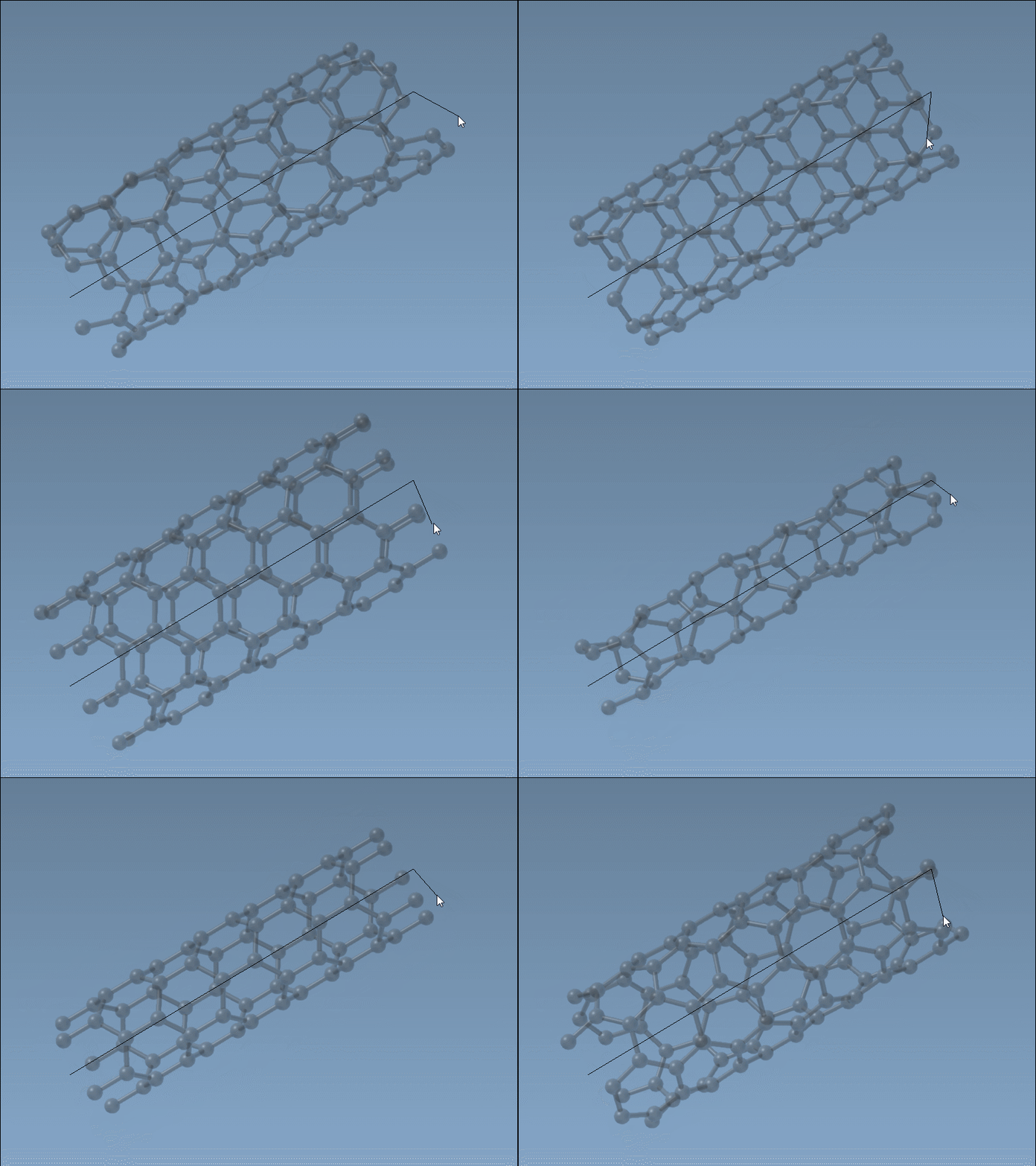
The interactive mode allows users to design CNTs directly in the viewport with just a mouse. This is ideal for users who prefer a hands-on, visual approach.
Here’s how you can use this method:
- Set the nanotube axis and length: Left-click and drag your mouse in the viewport to define the nanotube's direction (axis) and length. The status bar provides real-time feedback for precision on the axis orientation and tube length.
- Define the radius: Release the mouse, hover to set the desired radius, and left-click again to confirm. The status bar continues to assist with adjustments to ensure the
nandmparameters (chiral vector) are accurate.
Graphical Interface: precision at your fingertips
If you need more control or want to systematically input parameters, the extension's Graphical User Interface (GUI) is the way to go. The GUI allows for finer customization, including the ability to create multi-walled CNTs effortlessly.
- Toggle visibility: Activate the editor as described in the documentation (Shift + E, or access through the viewport menu).
- Input parameters: Use the GUI to define exact
Start/End Positions(e.g., defining the axis in 3D space) and chiral vector valuesnandmfor precise structural design.
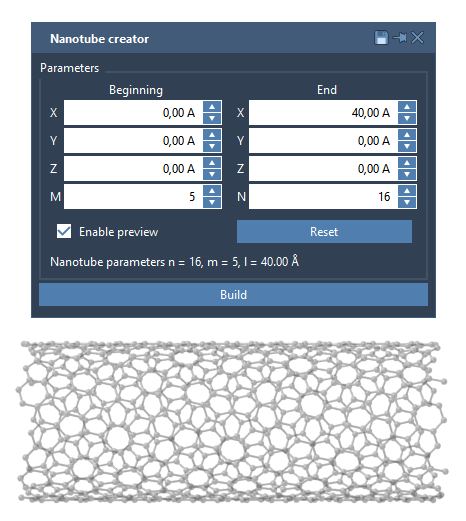
The GUI's ability to layer concentric nanotubes ensures that your multi-walled models can be built swiftly, with high accuracy.
Example: modeling concentric nanotubes
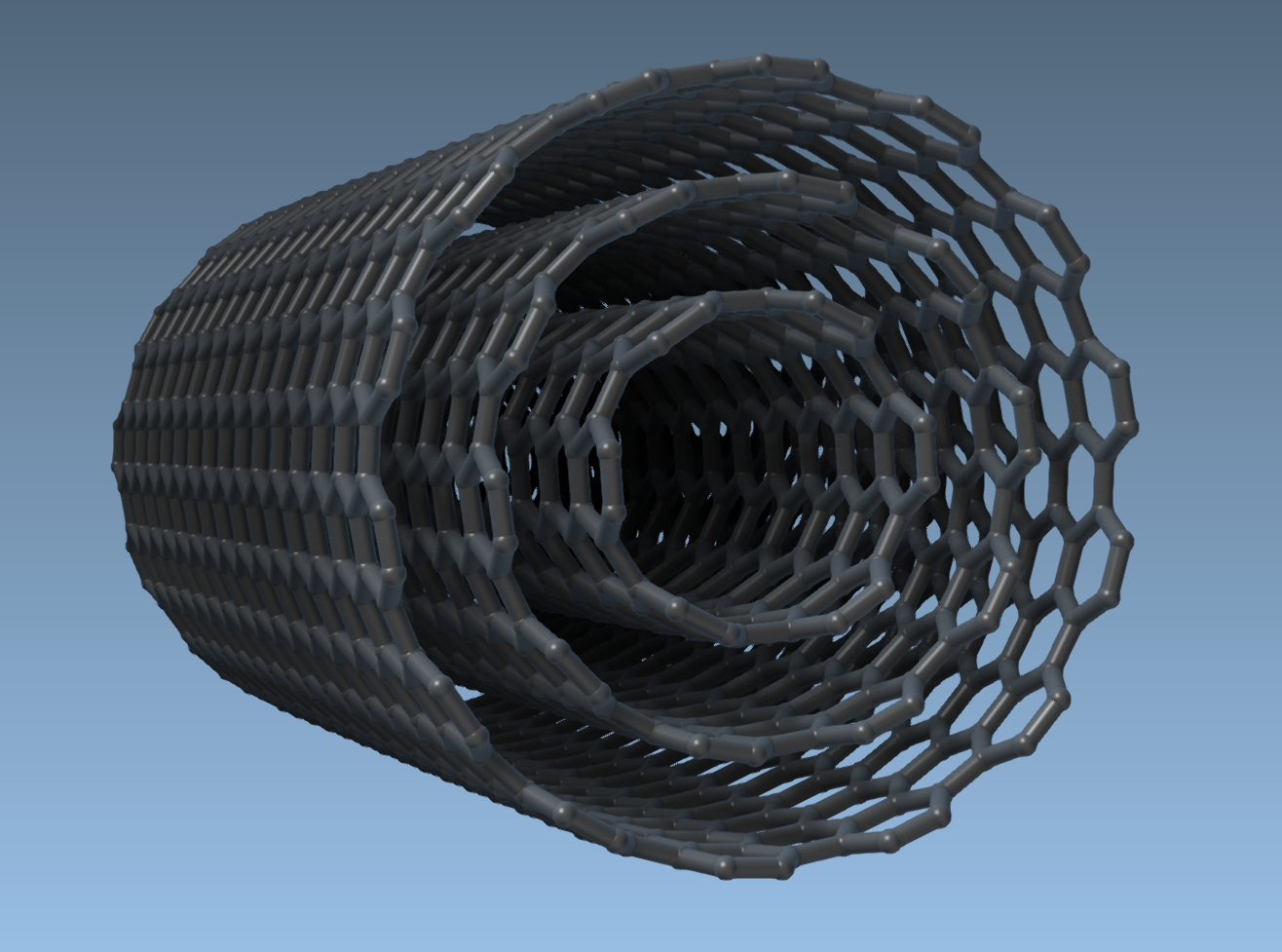
Here’s a quick example using the GUI to create a multi-walled nanotube:
- Set the Start/End Positions:
(0, 0, 0)to(40, 0, 0)for a 40 Å nanotube along the x-axis. - For CNT 1, input
n = 6andm = 6, then click Build. - Repeat for CNT 2 (
n = 10,m = 10) and CNT 3 (n = 14,m = 14).
The outcome will resemble the multi-walled structure below:
Advanced applications
Once your CNTs are created, you can use them in a variety of applications, such as:
- Combining CNTs with molecules to design hybrid nanostructures.
- Visualizing or exporting nanotube models using SAMSON’s visualization tools.
- Performing simulations, such as molecular transport or studying electronic and mechanical properties.
If you’re ready to start designing CNTs efficiently and precisely, visit SAMSON’s official documentation to learn more about the Nanotube Creator Extension.
SAMSON and all SAMSON Extensions are free for non-commercial use. You can download SAMSON at https://www.samson-connect.net.