How to Quickly Select and Filter Cameras in SAMSON Using NSL

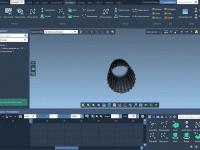
Working with multiple cameras inside a complex molecular system can feel overwhelming. In integrative modeling platforms like SAMSON, cameras help visualize the system from different perspectives—especially useful during animation, scene capturing, or scientific reporting. However, selecting and managing these cameras…

Saving Time with Custom Index Groups in GROMACS Wizard

If you’ve ever needed to define custom index groups in GROMACS, you probably know how time-consuming it can be to manually select atoms, residues, or regions of interest using command-line tools. Whether you’re preparing systems for umbrella sampling, pulling simulations,…

Quickly Managing Label Visibility in Molecular Models

When working with complex molecular models, labels can help interpret specific molecular features—residues, atoms, functional groups, and more. But when there are too many of them, labels may hinder rather than help. Efficiently toggling label visibility becomes essential, especially when…

Filtering molecular folders by atom counts in SAMSON

When working with complex molecular systems, it’s not unusual to accumulate a large number of molecular folders—each potentially comprising various atoms, chains, and structural features. This can make it difficult to quickly isolate the folders you want to work with.…

Make Your Molecules Pop: Using Visual Presets in SAMSON

If you’ve ever spent hours building a molecular model only to end up with a blurry, color-confusing visual that doesn’t quite communicate your findings, you’re not alone. For molecular modelers, visually conveying structure and interaction is often as important as…