



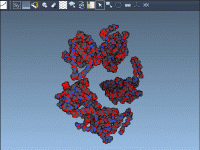
Exploring Nonlinear Molecular Motions with SAMSON’s NMA Extension
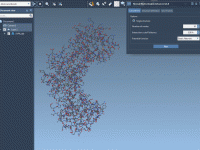
Biomolecular modelers often face the challenge of understanding large-scale molecular motions like the opening or closing of binding sites. These complex motions are critical for various biological functions, such as ligand binding or protein conformational changes, but traditional computational approaches…
Streamline Molecular Dynamics with Your Custom GROMACS Setup
Enhance Your GROMACS Simulations with Custom Index Groups
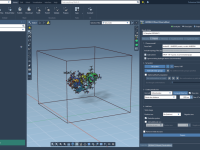
Understanding Chain Attributes in SAMSON for Molecular Modeling
When building molecular models, selecting and navigating specific chains becomes crucial for tasks such as structural analysis, simulations, and visualization. The chain attribute space in SAMSON’s Node Specification Language (NSL) is specifically designed to help molecular modelers streamline this process…
Mastering the Ramachandran Plot: A Guide for Protein Backbone Analysis
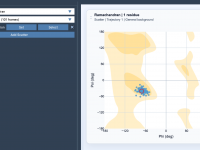
If you work in molecular modeling, you’re likely familiar with the challenge of analyzing protein backbone conformations. Understanding secondary structures, detecting outliers, or visualizing transitions can be daunting. Luckily, SAMSON’s Path Analyzer provides a dependable solution with its Ramachandran plot…
Streamlining Biomolecular Predictions with AlphaFold-2 in SAMSON
Making accurate predictions of biomolecular structures is a pressing need for molecular modelers, structural biologists, and drug discovery professionals. With tools like AlphaFold-2, achieving precision in structure prediction is no longer an impractical goal. Within the SAMSON Integrative Molecular Design…
Mastering Visibility with the Flash Animation in SAMSON
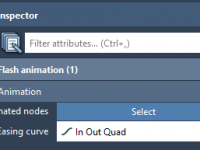
Making Molecular Docking Animations Intuitive with SAMSON
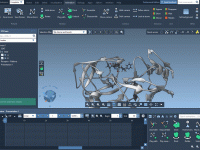
Simplifying Python Package Management in SAMSON.
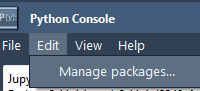
Managing Python packages is often a bottleneck for molecular modelers and researchers who rely on automation and scripting workflows. SAMSON simplifies this process with its integrated Python Package Manager, allowing you to efficiently manage dependencies and ensure seamless scripting environments.…