



A Guide to Importing Files into SAMSON: Simplifying Molecular Modeling Workflows
Understanding Camera Attributes in SAMSON’s Node Specification Language
Simplify Molecular Interactions with the Undock Animation
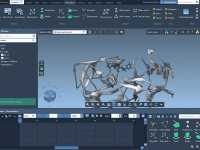
Mastering Molecular Motion: Visualize Center-of-Mass Trajectories with Pathlines
Streamlining Collaboration with Document Sharing in SAMSON
Easily Adjust Your Molecular Simulation Parameters with GROMACS Wizard.
Molecular dynamics (MD) simulations are powerful tools in molecular modeling, offering insights into structural dynamics and interactions at an atomic scale. However, one common challenge faced by molecular modelers is understanding and fine-tuning the parameters for production runs without falling…
Mastering Reverse Path Animations in Molecular Modeling
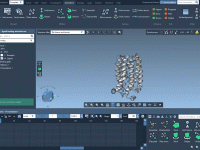
For molecular modelers, visualizing molecular movements with precision is crucial. One common challenge is the ability to analyze trajectories or conformational paths in reverse—whether it’s retracing reaction pathways or replaying conformational dynamics in reverse. SAMSON’s Play reverse path animation is…
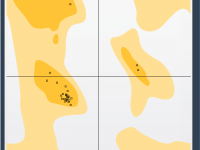
Streamlining Protein Analysis with the Ramachandran Plot App in SAMSON
Understanding Residue Secondary Structures with SAMSON’s NSL
Molecular modelers often face the challenge of identifying or specifying secondary structures in biomolecular residues. Whether you’re working on simulations or analyzing structural features, distinguishing alpha helices, beta strands, or unstructured regions is crucial for understanding molecular functions. This blog…